This
product
is divided
into Bluetooth version and smart WIFI version,
please
check
the user manual and
purchase
in
detail!
This
product
user manual
is
suitable
for
different
types of sockets such as CN
Plug
,
USPlug, EU Plug, UKPlug, FRPlug,AU Plugandsoon!
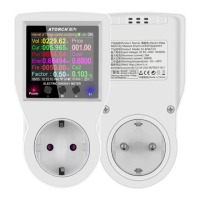
Functiontitlebar
.....
Various
measuremenl
parameters
Time and online icon
(Display
running time when
not
connecled to the lnternet
,
display calendar,when
'
conneeted to the lnternet)
Power
supply
indicaior
Normal
powersupply,
this lighl
Button-
........-...'.....
ATORCH-M
.
ON/OFF/Auto switch
Multifunctional
display bar
Temperature
display
(display
lhe
lnternal temperature
when noi connected to the Internel,
'-
and displaythe network
temperaiure when connected)
Bluetooth indicator
(when
you purchase
the Blueiooth
''
version, this light will display the
Blueiooth status,
the WIFI version
will not display)
Button
+
Shorl
press
to switch the switch
'
mode, long
press
to
swiich
ihe
inteface backwards.When
the
number rs flashing,
shofr
press
to
increase, long
press
to continuously
Button M setting key/menu key
'
Shod
press
io flash the set number
/repeated shod
press
to switch the
number
position/long press
to enter
ihe background seiting
Shod
press
to swilch the
'_
O:O
long
press
to
switch thernteriace
forward. When the number is
,
shod
press
to decrease, ong
press
to continuously
decrease
Outpul
sockel interface
CN/EU/U
K/US/FR/AU
eg.
plug
options
'
lntroduction
tqthe
qperatiqn
of func{ion
interfiace switching and
measurement interface value setting:
Tum on the
power
as shown
in the figure above, the displaywill light up, long
press
the "+" or'L" button
to switch
the display
interface of each function forward or backward.
Long
press
the
"M"
key to enter the
settinginterfaceof thesystembackground. Shortpressthe
"M"
keyonthefontend interface,theset
conesponding number
flashes, and thenshort
pressthe+l
keys toadjustthevalue.Whileflashing,
continue to short
press
the "M"
keyto switch the numberofdigits and then adjustthe following
numbers.
When
the flashing stops,
the system will automatically save and display OK,
long
press
the
"M"
key to
save immediately; ln normal times, short
press
the
"+/-"
key to switch between "normally open-normally
closed-auto" and other switching
modes.
lntrcduction to the operation of
the background setting
interface:
After long
press
the
"M"
key to enter the background interface, short
press
the
"M"
key to cycle
down
to switch the desired
setting menu in a mlor-changing
manner. After changing the mlor
ofthe
selected
menu, short
press
the
"+/-"
keyto
adjust the cunent value once or long
press
to
continuously
adjustthe
olnent value. When in the background
interface, long
press
the
"M"
key
to
quickly
exit
ttre background setting interface and
quickly
retum
to
the foreground
func'tion measurement interface.
_
1,
-


 To Next Page
 Loading...