8
CHARGING YOUR DEVICE
77
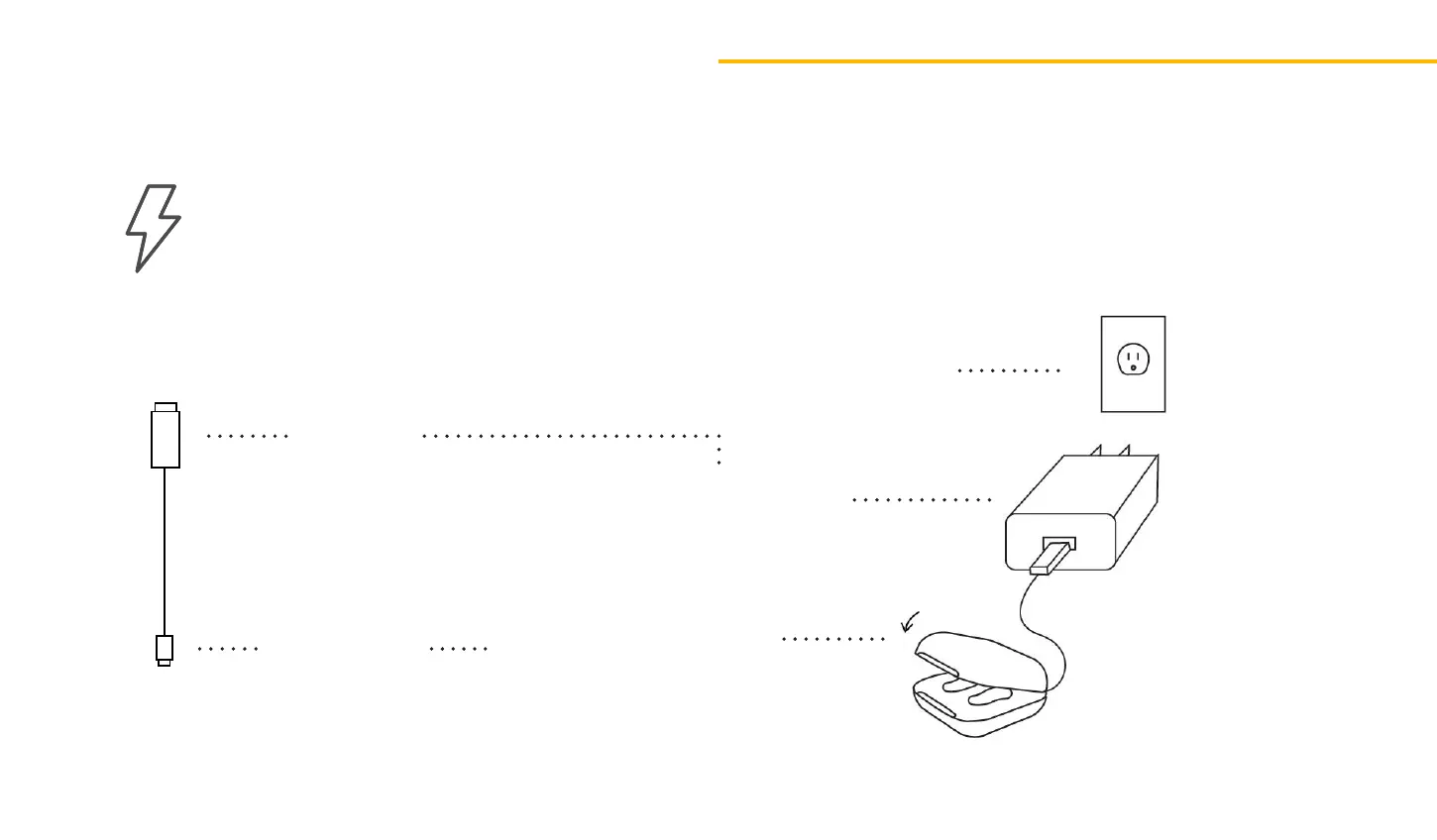
Wall Charger into outlet
USB SIDE
USB-C SIDE
Connect USB-side
into Wall Charger
Connect USB-C side into
Charging Dock
If you look inside
the Charging Dock,
you will noce a
hollow section.
Lower the device into the
Charging Dock with the ear
buds facing down into the
hollow secon.
Make sure the Removal
Wires are not bent and
the connecon is secure.
The Audien Atom 2 will magnecally lock into place within the Charging Dock.
Red light = Units are properly connected and charging.
Green light = The device is fully charged.
Charging Your Device
CHARGE TIME: 3 HOURS
Charging
indicators


 To Next Page