6
5
SETTING UP YOUR DEVICE
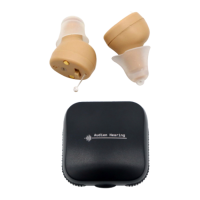
The Audien Atom Pro can be worn differently depending on the user’s
ear canal shape. Neither device is LEFT or RIGHT ear specic, ensuring
a universal t.
Try inserting it into your ear: curving both forwards and backwards
to determine which is most comfortable for you.
Charging The Charging Case
Inserting Into Ear
After charging the Charging Case, The Charging Case will support up
to 3 additional wireless charging cycles for the Audien Atom Pro.
Powering ON/OFF
The Audien Atom Pro does not have an ON/OFF switch. The device
will automatically power off and begin charging when placed into the
Charging Case.
The Audien Atom Pro must always be returned to the Charging Case when
not in use. Otherwise the devices will remain on and drain the battery.



 To Next Page