A
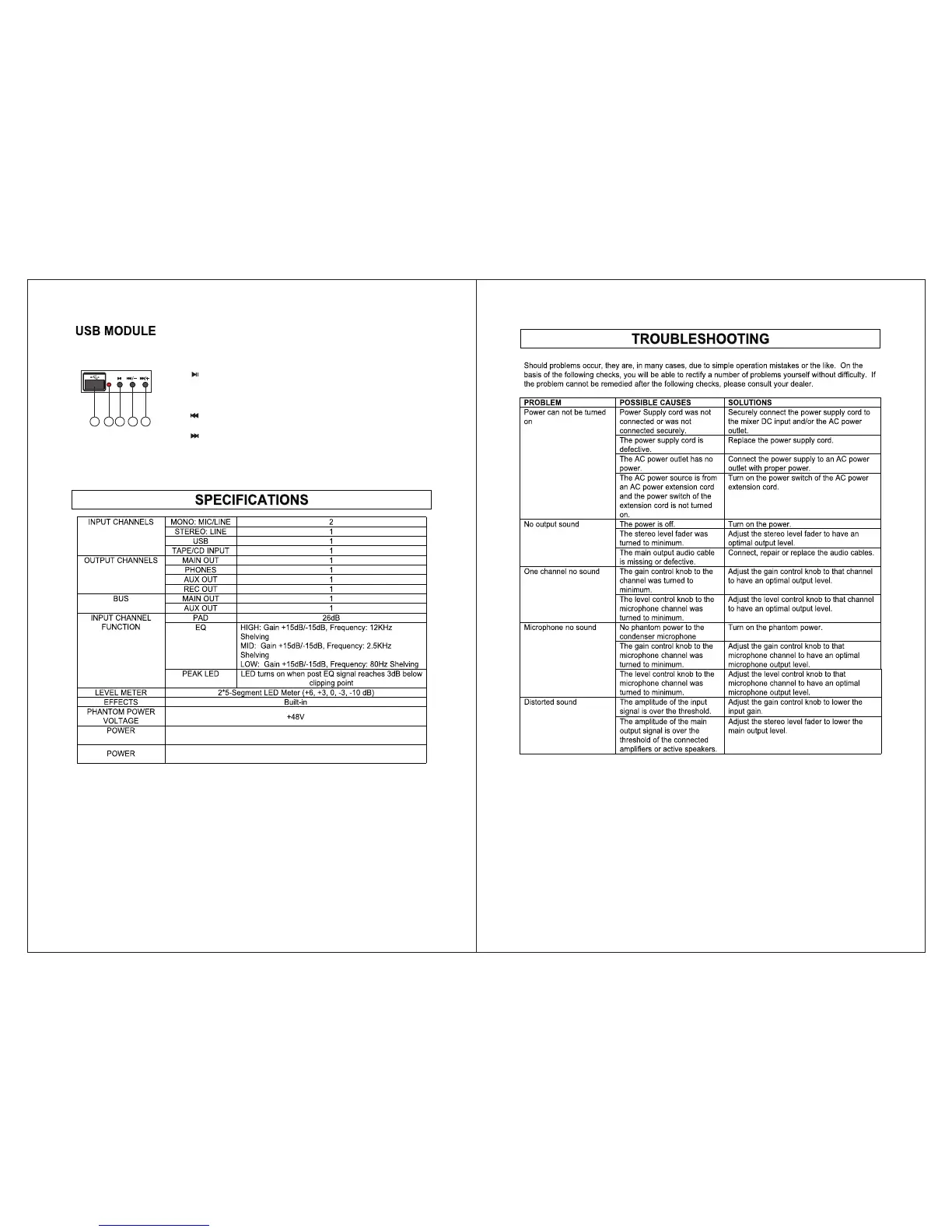
A. USB Insert
B. USB LED Indicator
C. “ ” Play/Pause Button --- Press this button to start playing the
music from the USB device. Press this button again to have the
music paused. When the music is paused, press this button will
continue the music from where it was paused.
D. “ ” Prev Button --- Press this button to skip the current track
and jump back to the previous track.
E. “ ” Next Button --- Press this button to skip the current track
and jump to the next track.
B
C D E
100-240VAC
SOURCE
11W
7 8


 To Next Page