5-20s
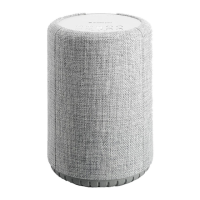
AudioPro_A28
AIRPLAY / CHROMECAST
1.
2.
INPUTS
LINEBT
TVWIFIOPT
VOLUME
WIFI
PRESETS
INPUTS
LINEBT
BT
PAIR
SPELA SPOTIFY PLAYING FROM SPOTIFY
WIEDERGABE VON SPOTIFY SPOTIFY AFSPELEN
Använd din telefon, surfplatta eller dator som
fjärrkontroll för Spotify. Gå till
spotify.com/connect för att ta reda på hur.
Use your phone, tablet or computer as a
remote control for Spotify.
Go to spotify.com/connect to learn how.
Verwende dein Smartphone, Tablet oder dei-
nen Computer als Fernbedienung für Spotify.
Auf spotify.com/connect erfährst du mehr.
Gebruik je telefoon, tablet of computer als een
afstandsbediening voor Spotify. Ga naar spo-
tify.com/connect om te leren hoe je dat doet.
Tryck på AirPlay/Chromecast och välj en högtalare.
Tap AirPlay, and choose a speaker.
Tippen Sie auf AirPlay/Chromecast und wählen Sie den Lautsprecher aus.
Tik op 'AirPlay/Chromecast' en kies de luidspreker.
3.
BLUETOOTH
PARA PAIR KOPPELN PAAR
Inställningar
Settings
Einstellungen
Instellingen
Välj BT som källa
Select BT as source
Wählen Quelle BT
Selecteer BT als bron
Blinkar
Flashes
Blinken
Knippert
Blått
Blue
Blau
Blauw


 To Next Page