The Menu
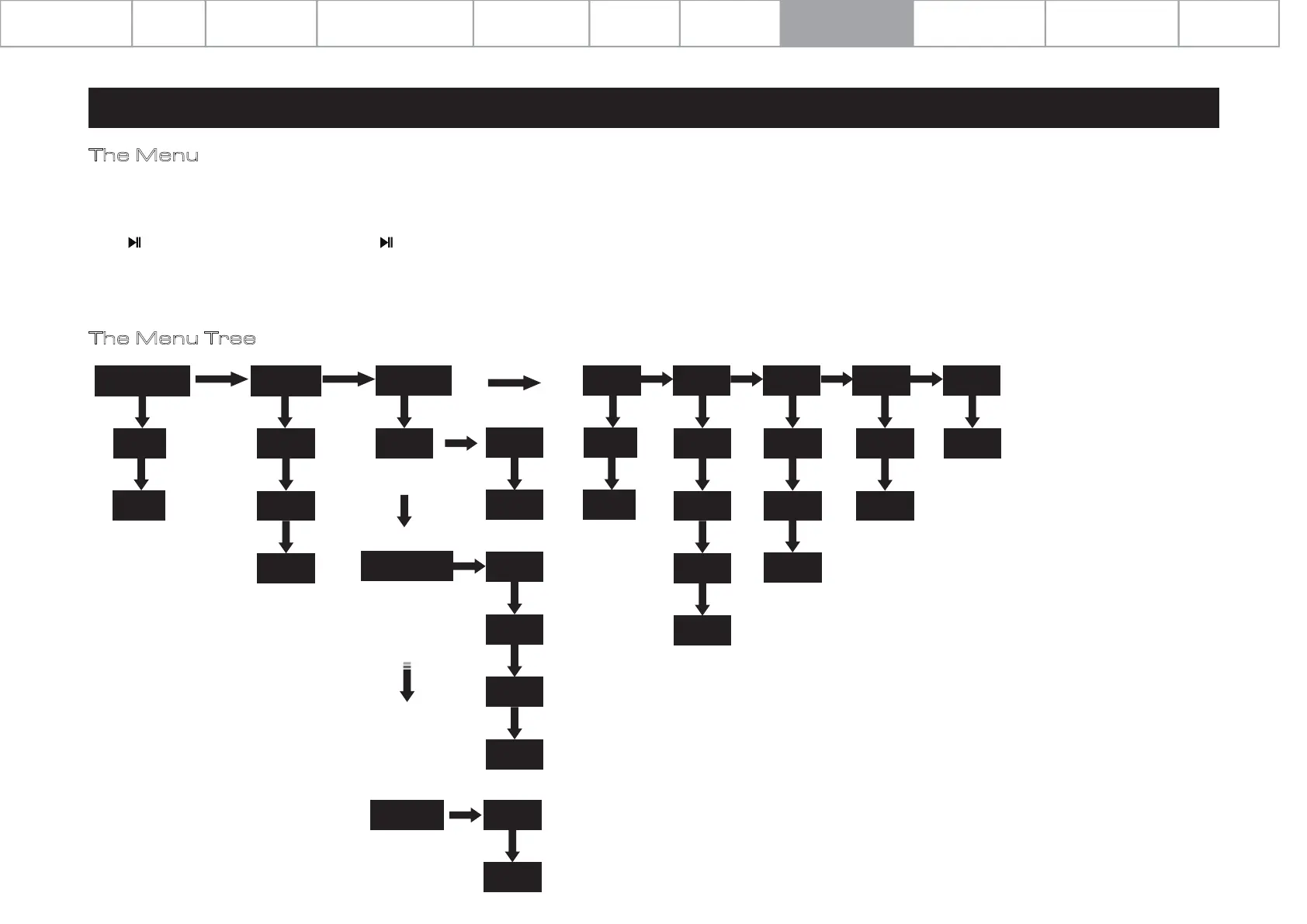
The Menu Tree
8: System Operations
Page 12
The menu enables you to customize the unit and optimise the interface with other equipment in your system.
Press the ‘SELECT’ knob on front panel or ‘MENU’ key on the remote controller to enter menu mode, and then press 'VOL-' or 'VOL+' to cycle through the menu options.
Press to access the sub menus and press again to confirm any selection.
You can also press the 'SELECT’ button on the front panel to enter the menu, then rotate it cycle menu options. Press ‘SELECT’ again to enter the sub menu. And, press ‘SELECT’
again to confirm any selection.
COAX2 DPLL
Auto Source Select
Off
Display Option
Wide
Norm
Wide
Display Settings
BrightnessHome
Audiolab
Display Off
On
Trigger Language
Standby
NeverEnglish
15s
30s
10s
20min
VER-1.001
Yes
No
Reset Version
Off
On
60min
1
10
Display time out
Animation
5s
15s
30s
10s
On
Off
Menu Options
Specifications
Playing Operations
Important
Safety Information
Contents Getting Started
Controls and Functions Remote Handset
Warranty Coverage
Connections
System Operations


 To Next Page