¡ The USB 3.0 standard includes SuperSpeed transfer mode, which permits data rates
of up to 5Gbit/s—more than 10 times the speed of the previous USB 2.0 standard—
oering an obvious advantage for those who are transferring large amounts of data.
However, in terms of audio performance, there is no practical application for USB 3.0.
In fact, hard drives and other devices running at the USB 3.0 specication are terribly
noisy and only further pollute the bus.
When used with USB 3.0 devices, JitterBug purposely decelerates the device to USB
2.0 specications. JitterBug’s dual-function line-conditioning circuitry works on both
the data (communication) and vbus (power) lines of USB ports: The latter reduces
noise and prevents EMI and RFI from contaminating the associated digital-to-analog
converter (DAC) and/or cable. The former minimizes parasitic resonances created
by the computer and USB bus, and is optimized to remove noise above the USB 2.0
frequency specication, making it ideal for audio playback.
When transferring large amounts of data, we suggest that you remove JitterBug
from your device. Simply reinstall JitterBug prior to your next listening session.
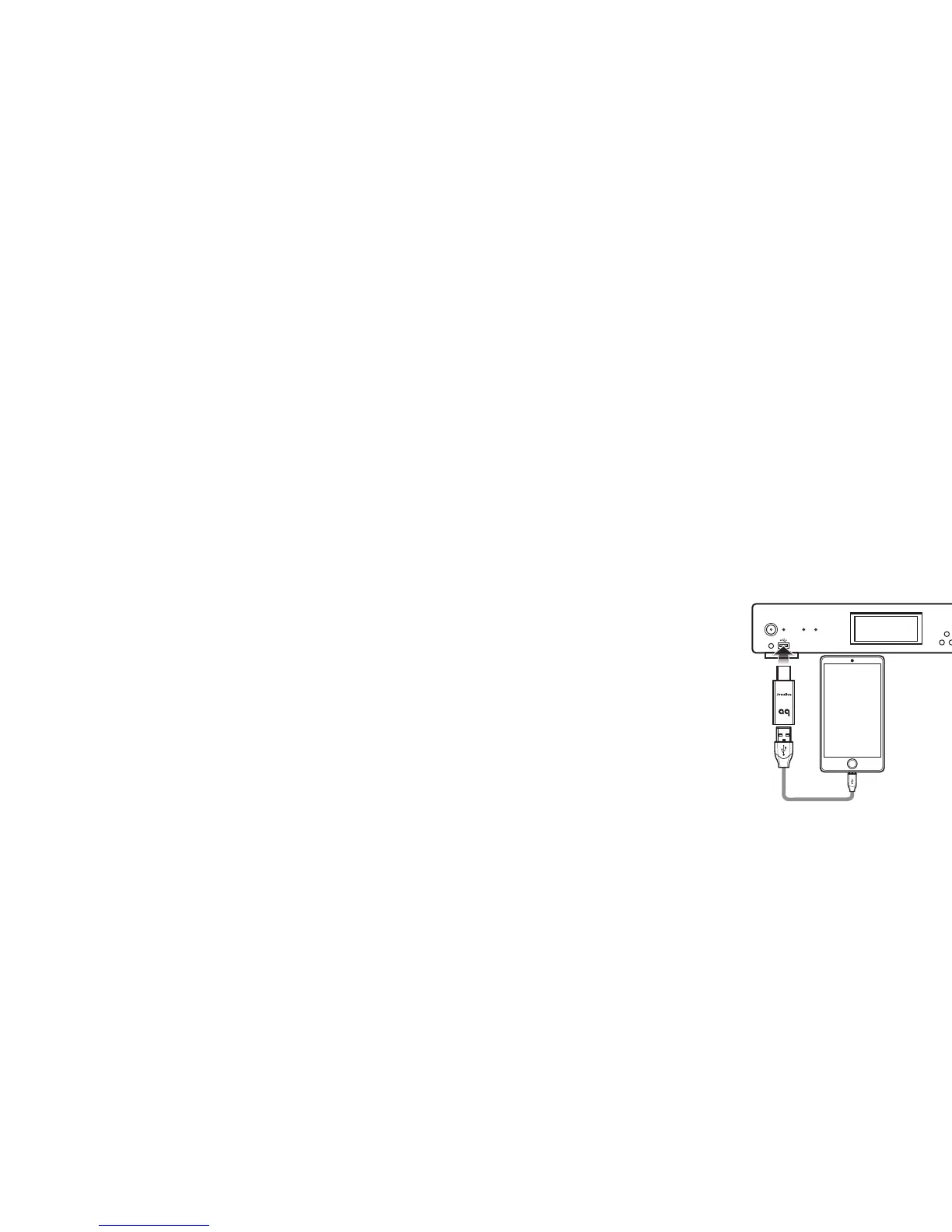
For Use with Mobile Phones and Media Devices
1. Many receivers, DACs, and automobiles include USB input ports that are compatible
with iOS and Android-based devices. When mobile devices are connected to these
inputs, users can play music from streaming services or from the mobile device’s
internal memory.
While this is extremely convenient, mobile phones and other portable media
devices have the potential to create very noisy electrical environments. To improve
the playback performance of your mobile phone or portable media device, rst plug
a JitterBug into the associated USB input port.
2. A USB memory stick can also function as a
portable media device. If you play les from
a USB memory stick, we recommend that you
plug a JitterBug in between the memory stick
and the associated USB input port.
¡ JitterBug draws no power from the source. It
will not inhibit the mobile device’s ability to
charge its battery.



 To Next Page
 Loading...