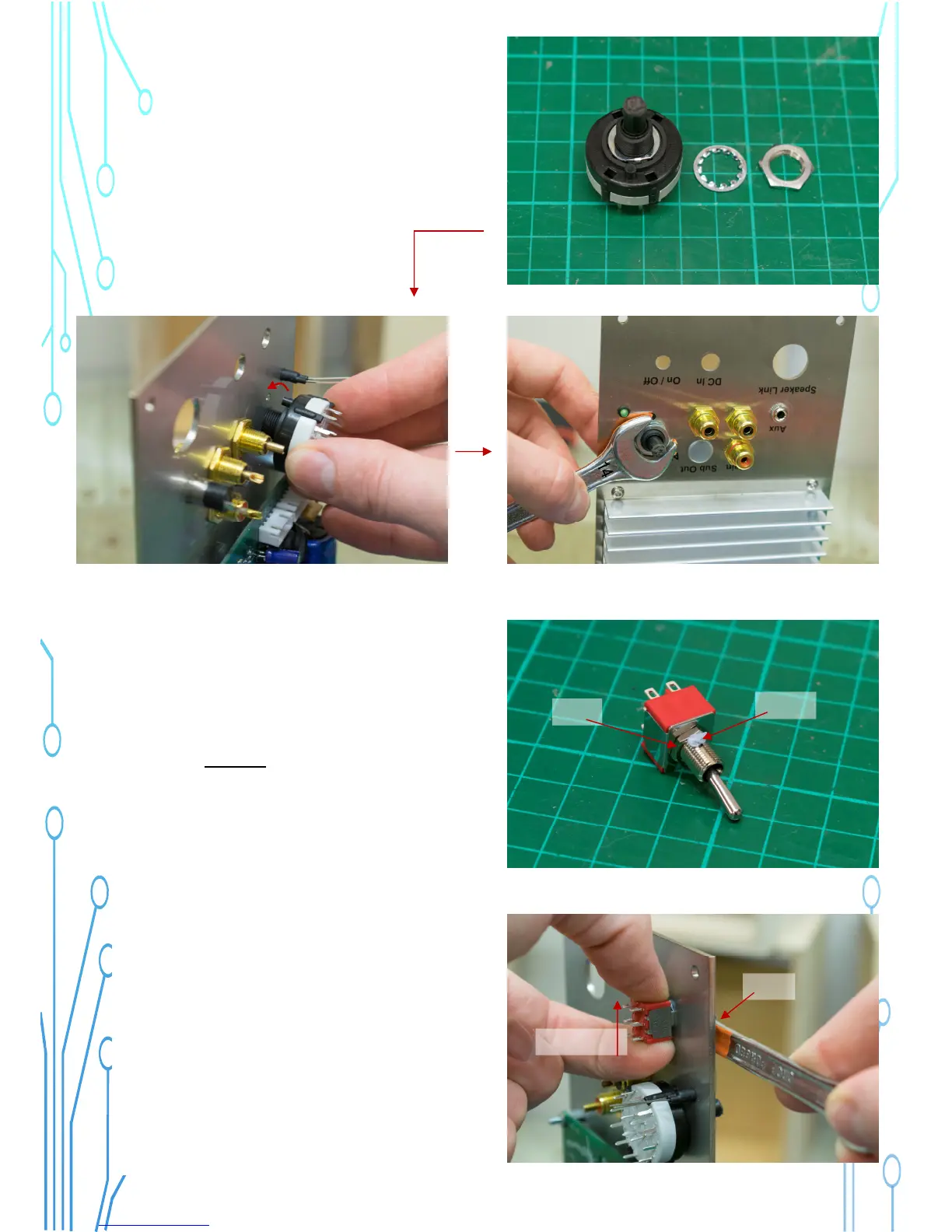
27) Insert the source switch in the source
selector hole, with the plastic lug going in
the small hole for alignment.
Make it tight. The nut is 14mm.
Make it so!
28) The power switch has two nuts. Put
one nut at the bottom of the switch shaft.
The shaft has a slot in it, use a small
amount of blu-tack or silicon sealant to fill
the slot so it does not leak air.
Nut 1
Sealant
29) Align the switch carefully so it is
vertical as shown in the image.
The nut is 8mm.
Align Vertical
Nut it!



 To Next Page