Set print task:
Set print task according to following steps:
1) Choose a procedure compatible with Windows, for example Corel Draw, Microsoft Word, etc.
2) Determine print area.
3) Set page size.
4)Graphics and text place on the page.
5) Set print attribute.
6) Place printing materials on the print platform.
7) Send print task to printer.
Choose application procedure: Printers use windows-compatible
application procedure, Draw Corel as an example
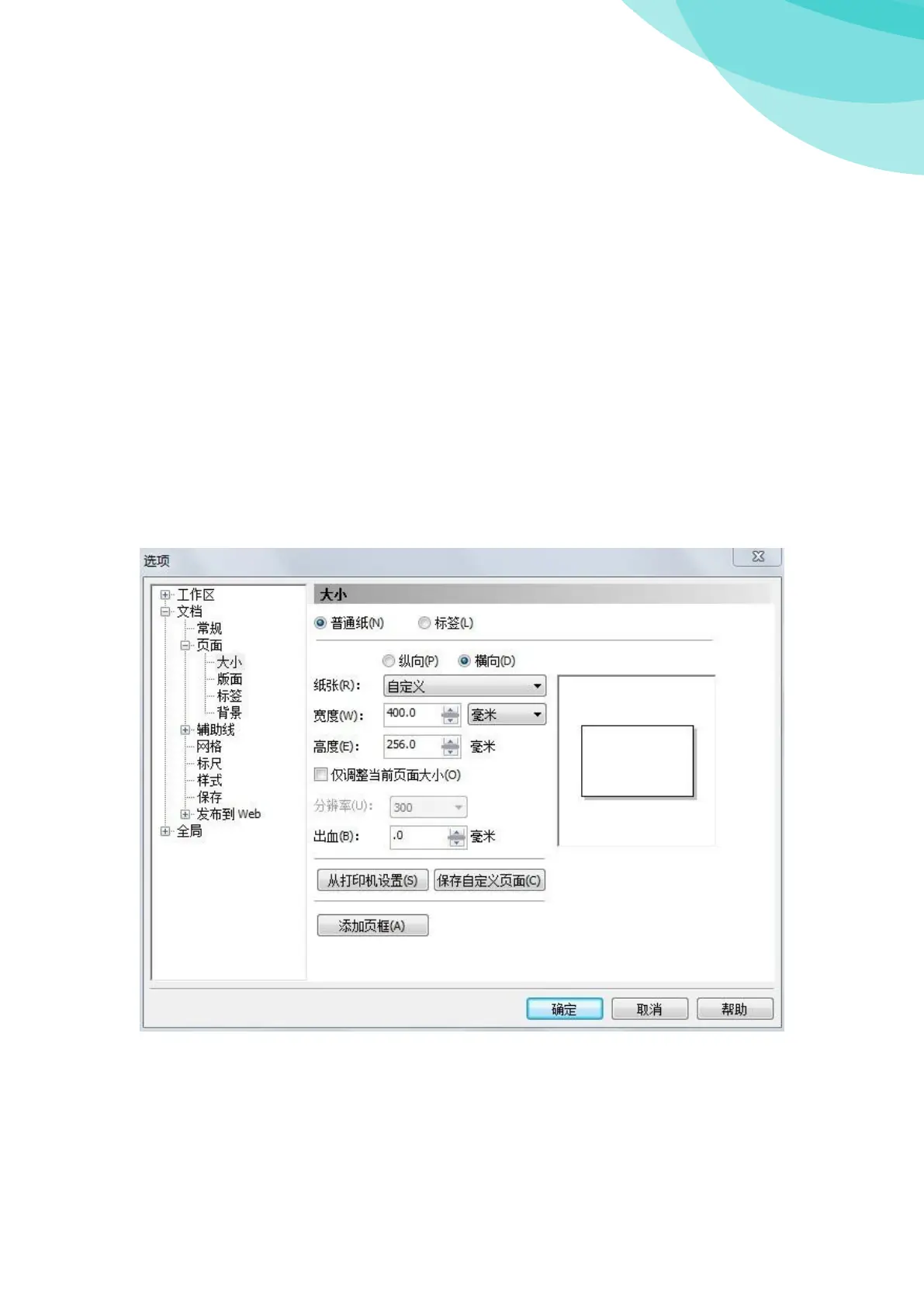
Set page size: Set page size in Corel Draw :
In the use of the equipment, page size is printable area. Another need to set the direction of
the page. In this example, page size for 256, page for horizontal direction.
The page margins is set to "0", as shown in figure



 To Next Page
 Loading...