Y side excursion: keep the default setting.
Mode: Choose "drum" mode.
Notice: Please stop print task at once when the gold foil paper is adhering to printer head, then
clean the printer head.
Reserve: Print task setting can reserve for next usage.
Load: read-in pre-stored setting.
Reset: recover leave factory setting.
Send print task
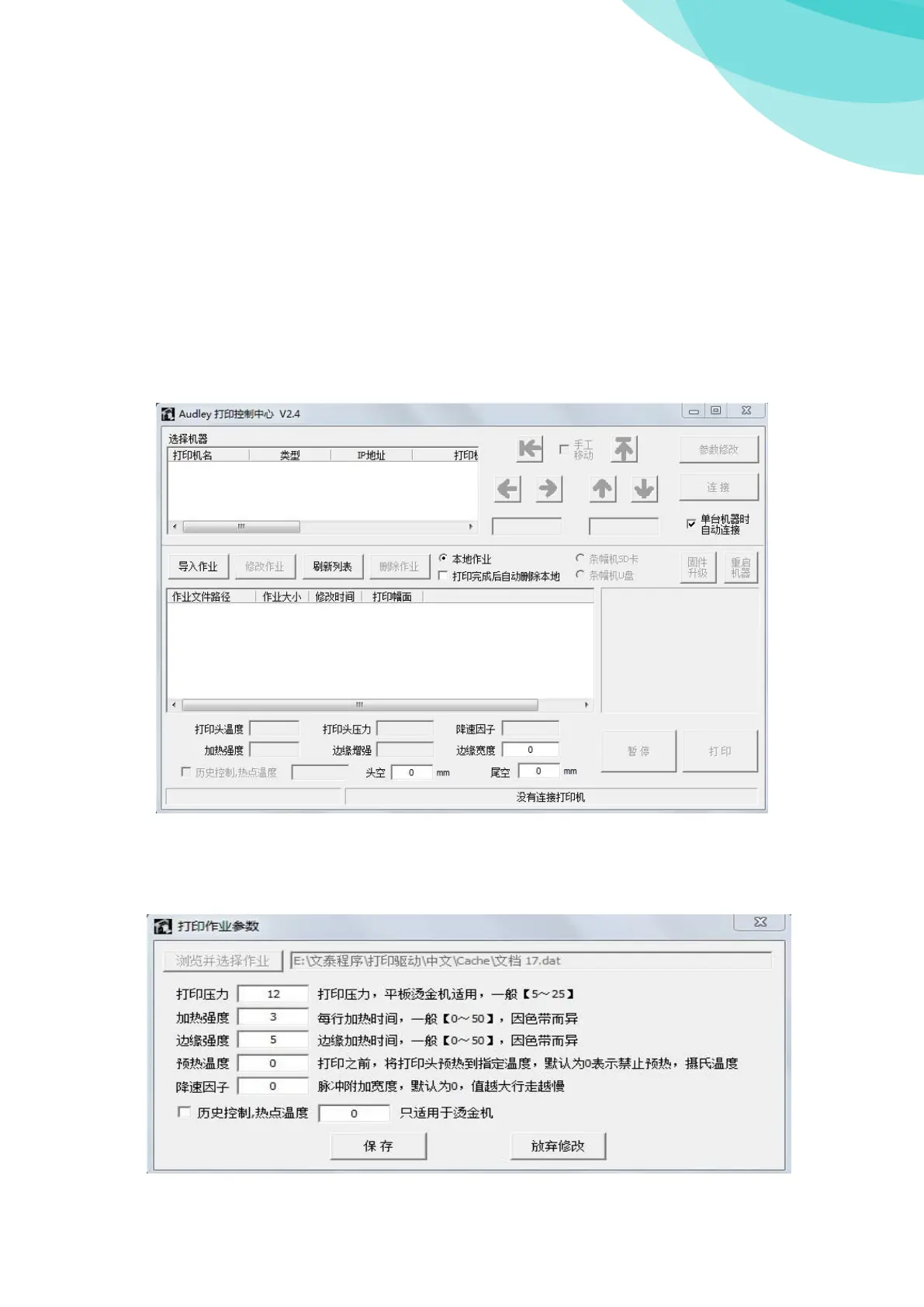
Please operate “Foil Control Center.exe’’ before send print task
When print parameters are seted, press "OK", "print", control center dialog box appears.
Chose equipment: Chose operating equipment;
Load task: Load your pre-print task which is unfinished;
Cancel task: Cancel the task which is not needed;
Modify task: If you are not satisfied with the printed task, you can modify here; such as:



 To Next Page
 Loading...