Edit Sections
6 KETRON • AUDYA
EDIT SECTIONS
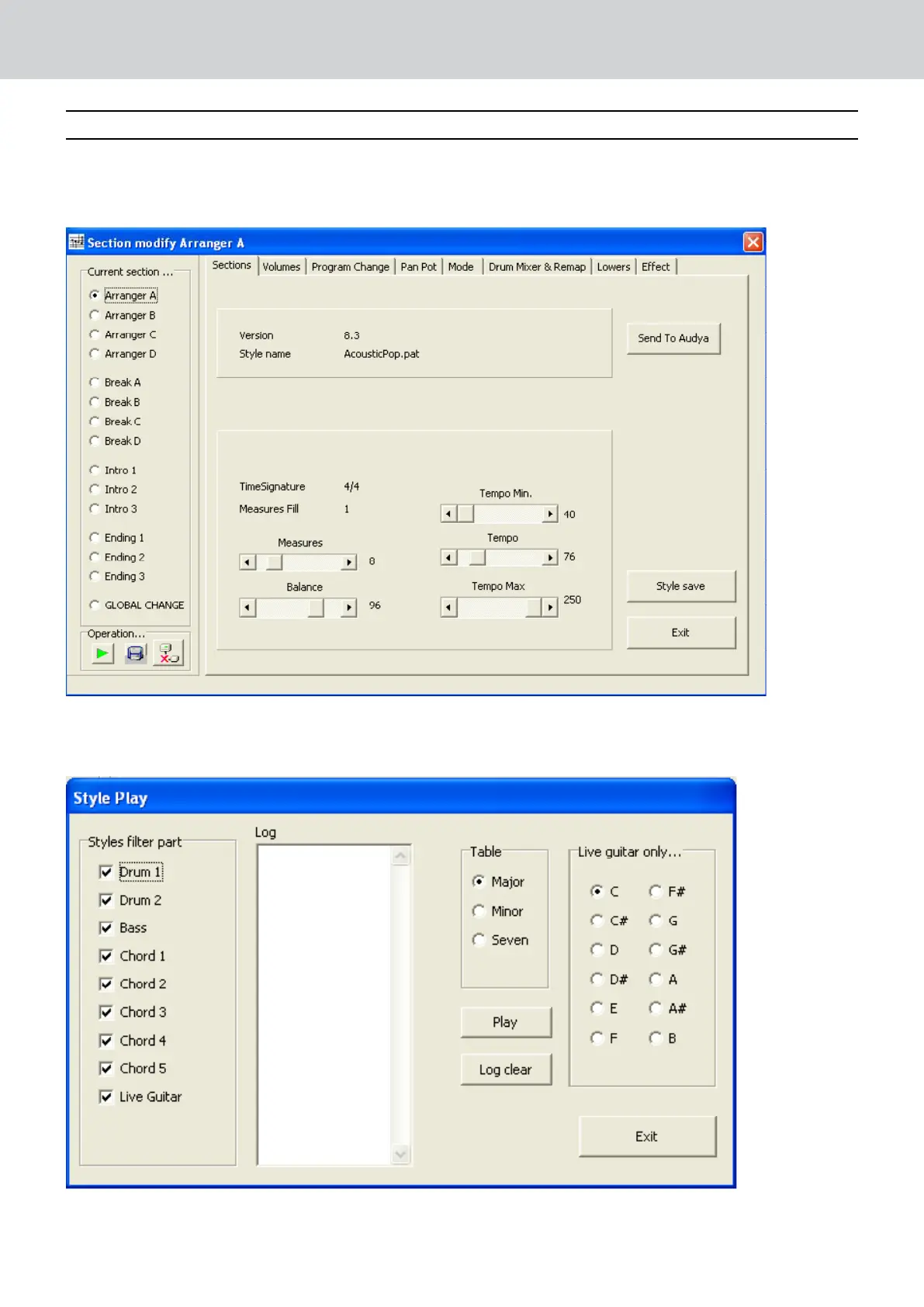
On the top left corner of the following view you can select which section is to be modified.
Select a single section as the ARRANGER A (check related box) if you would to modify only Arranger A or select
GLOBAL CHANGE if you want to modify a single parameter for all the Arranger parts. Same procedure can be
used on all other menu of Audya Style Compiler.
Here you can modify the Style Tempo and the Tempo Range value min and max.
On the next view you can locate the Operation > PLAY button which will let you hear the Style parts selected:


 To Next Page