Drum Mixer & Remap
KETRON • AUDYA 9
If enabled to OFF the Chord programmed will not be retriggered.
Chord Close / Parallel: If enabled to On, the Chord programmed will play on Close mode with a correct
transposition to the nearest notes.
If enabled to Off the Chord will play on Parallel mode, doing a parallel transposition.
Bass Mode: when set to Trigger On, the Bass note is retriggered anytime a new chord is struck. When set to
Alternate on, the Bass will adapt the alternate bass on a smoother musical way thus avoiding the repetition of the
fundamental Bass note when changing chords.
Fond. C1 or C0: when set to C0, permits the Bass to play the fundamental note if programmed on C0 into the Midi
file. If set to C1, the Bass will ignore the C0, even if programmed, and will transpose it to the highest octave.
Mute: If On all style parts will be muted
Crash: If set to On the AutoCrash will be played after the Fill on.
Drum Set: here you can select your on drum set where crash sound comes from.
Dynamic: Set the Dynamic value for the Crash.
RIFF MODE: This is a special feature used on Variation D of the Arranger.
On detail the Riff is an Arrange programmed inside with a typical chord progression. With this feature you can play
freely your melody line (or improvisation) over a typical chord progression without pressing any chord.
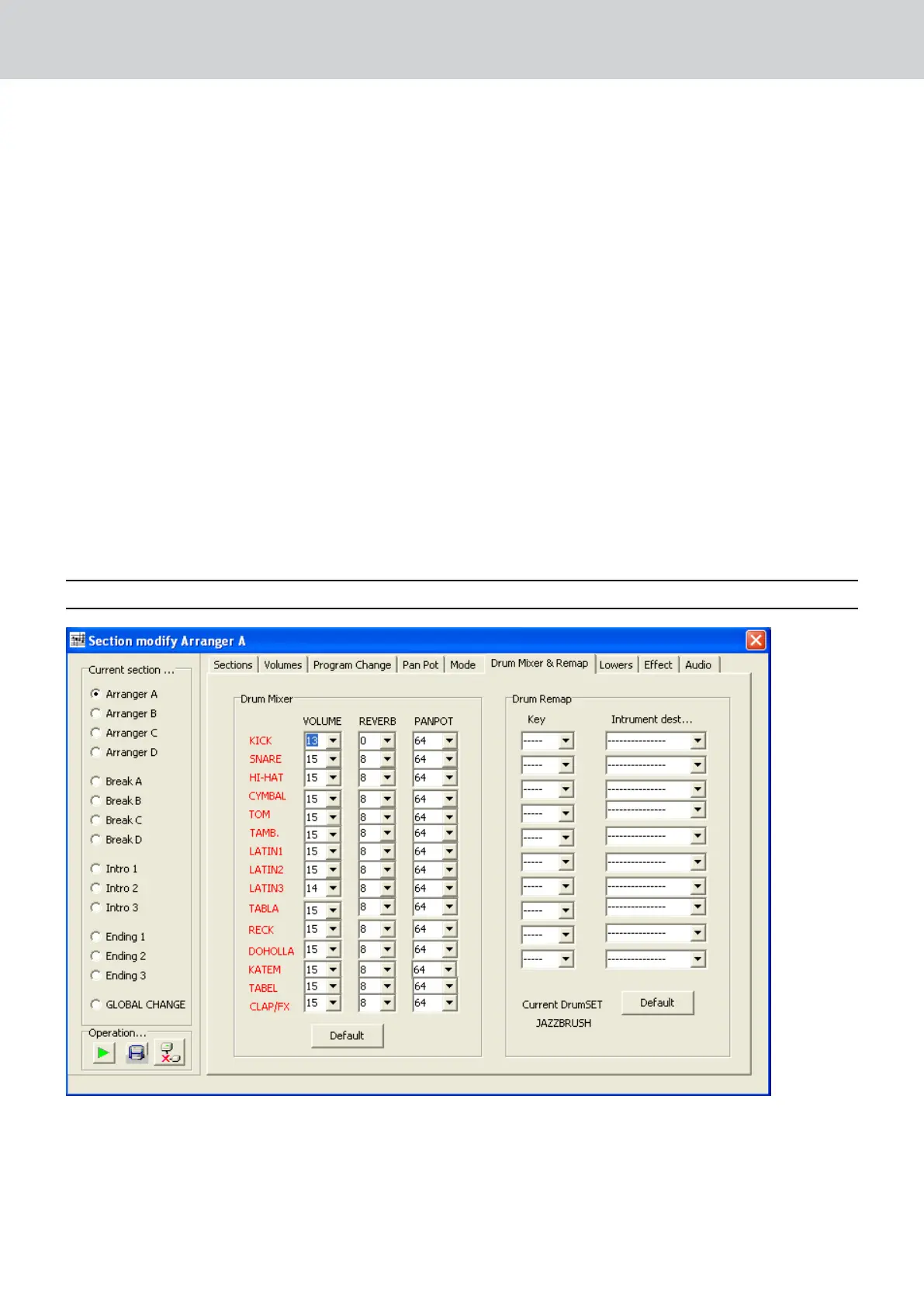
DRUM MIXER & REMAP
Drum Mixer: on this Menu it is possible to set volume, reverb and pan pot for each percussive section.
Drum Remap: here you can replace a certain percussive instrument of your own style.
Key: selects the note number related for new percussion instrument.
Instrument destination: select your new percussive instrument to add on.


 To Next Page
 Loading...