5. Operations
5.1 Switch On / Off
To switch on the device, press and hold the button for
2 seconds.
To switch off the device, press and hold the button for
3 seconds. The status LED will flash red then turn off.
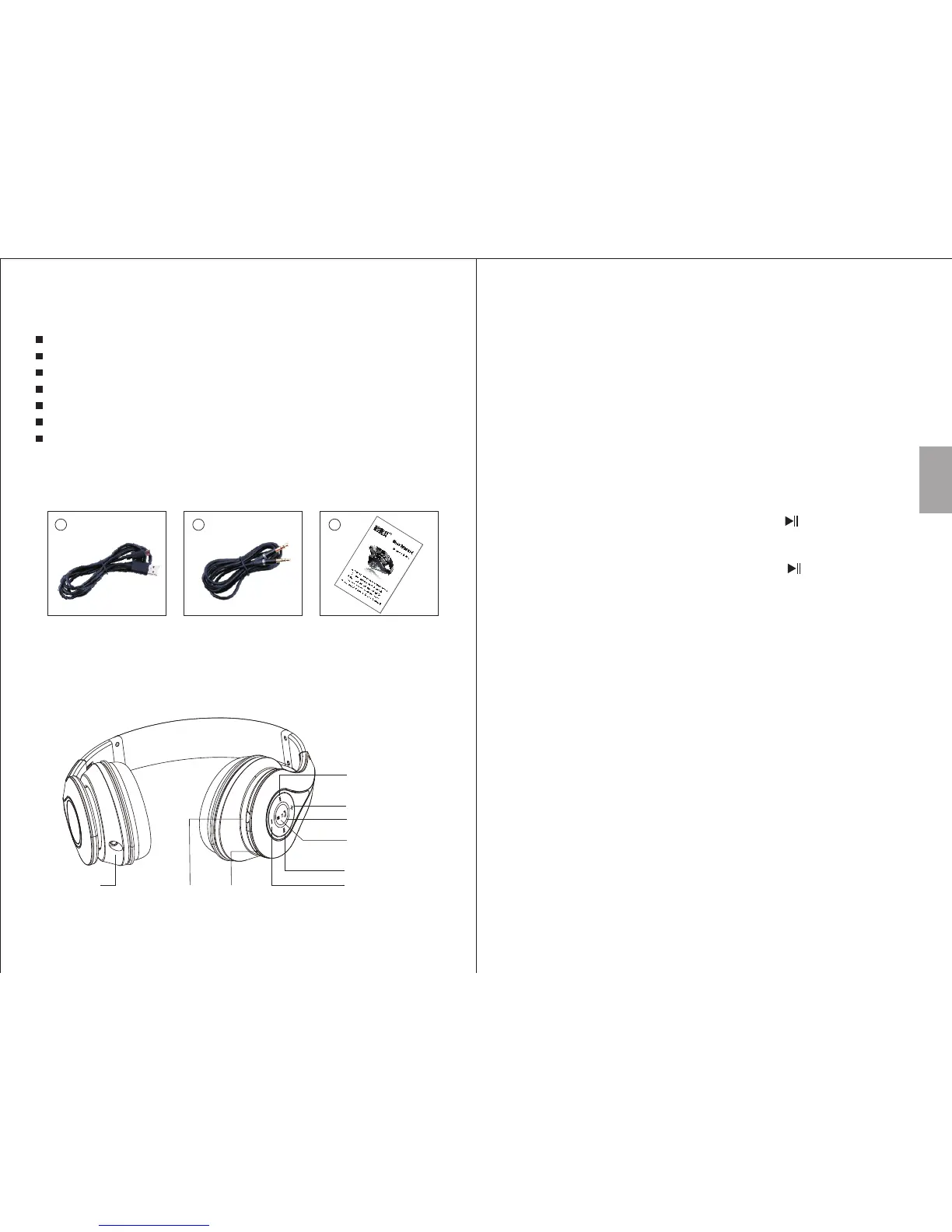
4. Part Names and Functions
-4-
-3-
3. Accessories
1
2
3
USB charging cable 3.5mm audio cable User manual
2. Main Features
1. Volume Up
2. Previous Track
3. Volume Down
4. Next Track
5. Status LED
6. Power / Play / Pause / Answer / NFC
7. Power Socket
8. Microphone
9. Audio-In Socket
Turn the device on, the EP640 will automatically reconnect to the
last paired Bluetooth device if it is in range. If it is not in range, the
EP640 will enter pairing mode automatically. In pairing mode, the
LED flashes red and blue. To connect to a new device, disable the
Bluetooth connection on the currently connected device.
- For mobile phones
1. Scan for available Bluetooth devices on your mobile phone
(see your mobile phone user manual for instructions if needed).
2. Select “EP640” from the available devices and confirm
connection.
3. The status LED flashes blue to indicate a successful connection.
Note: Accessing Bluetooth settings on mobile phones varies for
each phone, to find the information for your phone, please refer to
its user manual.
5.2 Bluetooth Connections
English
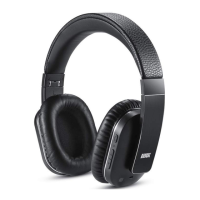
Wireless Headphones for Bluetooth Devices
Micro USB and Standard 3.5mm Audio-In Sockets
Hands-Free Calls with Integrated Microphone
Built-in Rechargeable Battery
Adjustable Headband
Distance: up to 10m (Class II)
Bluetooth Version: Bluetooth V4.0
1
2
3
4
8
5
7
9
6



 To Next Page