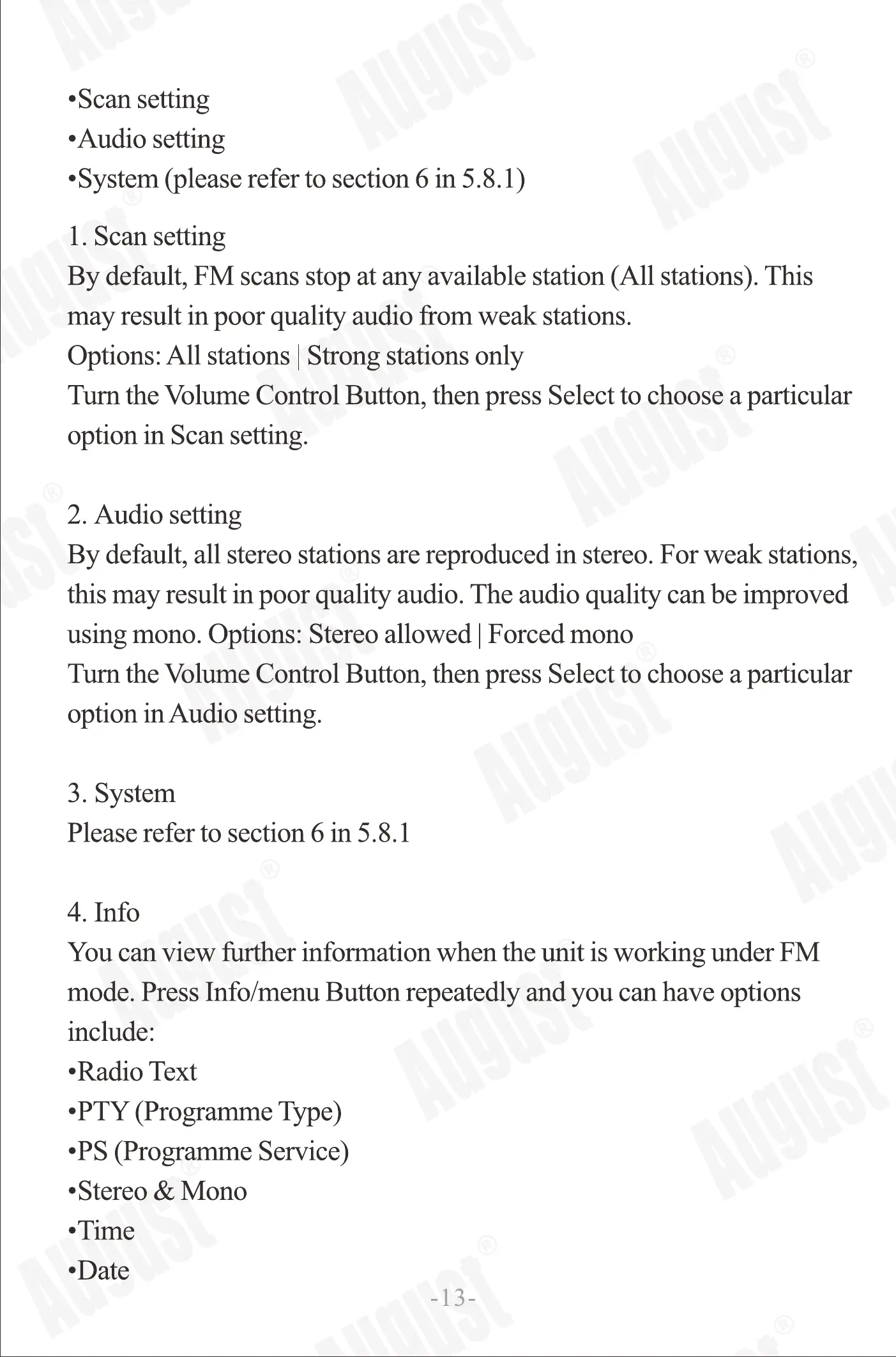
•Scansetting
•Audio setting
•System (please refer to section 6 in 5.8. l)
1. Scan setting
By default, FM scans stop at any available station (All stations). This
may result in poor quality audio from weak stations.
Options:All stations Strong stationsonly
Turn the Volume Control Button, then press Select to choose a particular
option in Scan setting.
2. Audio setting
By default, all stereo stations are reproduced In stereo. For weak stations,
this may result in poor quality audio. The audio quality can be improved
using mono. Options: Stereo allowed Forced mono
Tum the Volume Control Button, then press Select to choose a particular
option in Audio setting.
3. System
Please refer to section 6 in 5.8. I
4. Info
You can view further information when the unit is working under FM
mode. Press Info/menu Button repeatedly and you can have options
include:
•Radio Text
•PTY (Programme Type)
•PS (Programme Service)
•Stereo & Mono
•Time
•Date
-13
5.83 Bluetooth mode:
Under Advance Settings, turn the Volume Control Button to cycle
through the menu list, then stop at your preferred option. The advance
setting menu options are:
•System (please refer to section 6 in 5.8. l)
•Bluetooth Pair Name: MB420
5.8.4 USB mode:
Under Advance Settings, turn the Volume Control Button to cycle
through the menu list, then stop at your preferred option. The advance
setting menu options are:
•System (please refer to section 6 in 5.8. l)
5.8.5 Aux-in mode:
UnderAdvance Settings,turn theVolume Control Button to cycle
through themenu list, then stopatyour preferredoption. The advance
setting menu options are:
•System (please refer to section 6 in 5.8. l)
6. Troubleshooting
Problem
No sound
Poor sound quality in Radio mode
Hiss in FM mode or intermittent
cut-out in DAB.
No audio in Bluetooth mode.
Bluetooth does not connect.
Poor or intermittent sound via
Bluetooth
Solutions
• Increase the volume
Adjust aerial.
Adjust aerial.
Relocate radio.
Rescan for channels.
Check Bluetooth connection to source.
• Delete Bluetooth connection from source and repair.
• Increase MB420 volume.
• Increase source volume.
• Check that source is switched on.
Check that Bluetooth is enabled on source.
• Move source device closer to MB415
-14-


 To Next Page
 Loading...