22 23
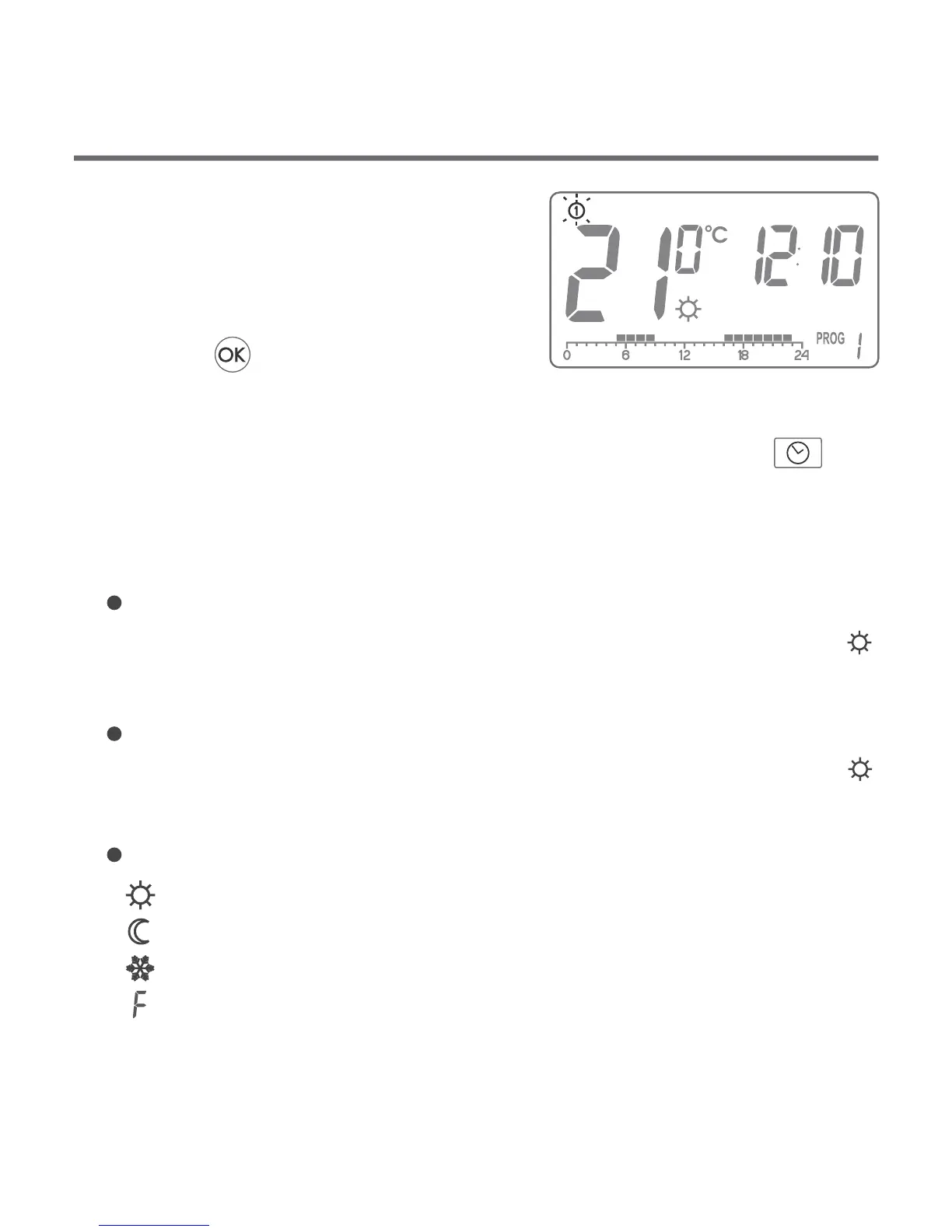
4. In the top left corner a blinking day
symbol will appear. Turn the knob
clockwise or counter clockwise to
set the day desired and confirm
with the key.OK..
NOTE: It is also possible to switch settings with the key.<zeg
Monday - Friday:
heaters will operate according to the day temperature ( )
between 05:00 and 8:00 and between 15:00 and 23:00
Saturday - Sunday
heaters will operate according to the day temperature ( )
06:00 and 23:00
default temperature settings:
day temperature – 21.0 °C
night – 19.0 °C
anti-freeze temperature – 7.0 °C
between
temperature of the external sensor – 40.0 °C (Auraton 3021 DS only)
Default program setting
3. Turn the knob clockwise or counter clockwise to set the
temperature desired.
4. Press the key to switch edit mode between the night and
day temperature ( , ).
5. After the stetting is complete, press the key to confirm.
NOTE: The night temperature setting can be equal or lower than the
day one. The night temperature cannot be set to the value
lower than the day one.
temp
OK..
1. Press the key.
2. Current temperature setting will be
displayed with the symbol:
– day temperature;
– night temperature;
TEM
Programming day and night temperatures K> K>
With AURATON 3021 2 temperatures can be programmed:
Day temperature ( ) – from 5 to 30 °C
Night temperature ( ) –
T
from 5 to 30 °C
o set one of the temperatures:
Temperature of the external sensor ( ) - 10 to 55 °C
(Auraton 3021 DS only)
– temperature of the external sensor (Auraton 3021 DS only)


 To Next Page