26
27
Weekly programming
To program the controller, set the day temperature intervals for
individual days of the week. At other time, night temperature will be
set.
Sample controller setting from Monday to Sunday. Outside the
intervals programmed, the night temperature will be set.
Day Day temperature
Monday 6:00 – 8:00; 15:00 – 23:00
Tuesday 6:00 – 8:00; 15:00 – 23:00
Wednesday 6:00 – 8:00; 15:00 – 23:00
Thursday 6:00 – 8:00; 15:00 – 23:00
Friday 6:00 – 8:00; 15:00 – 23:00
Saturday 8:00 – 23:00
Sunday 8:00 – 23:00
PPROGRAMMING
PROGRAM SELECTION
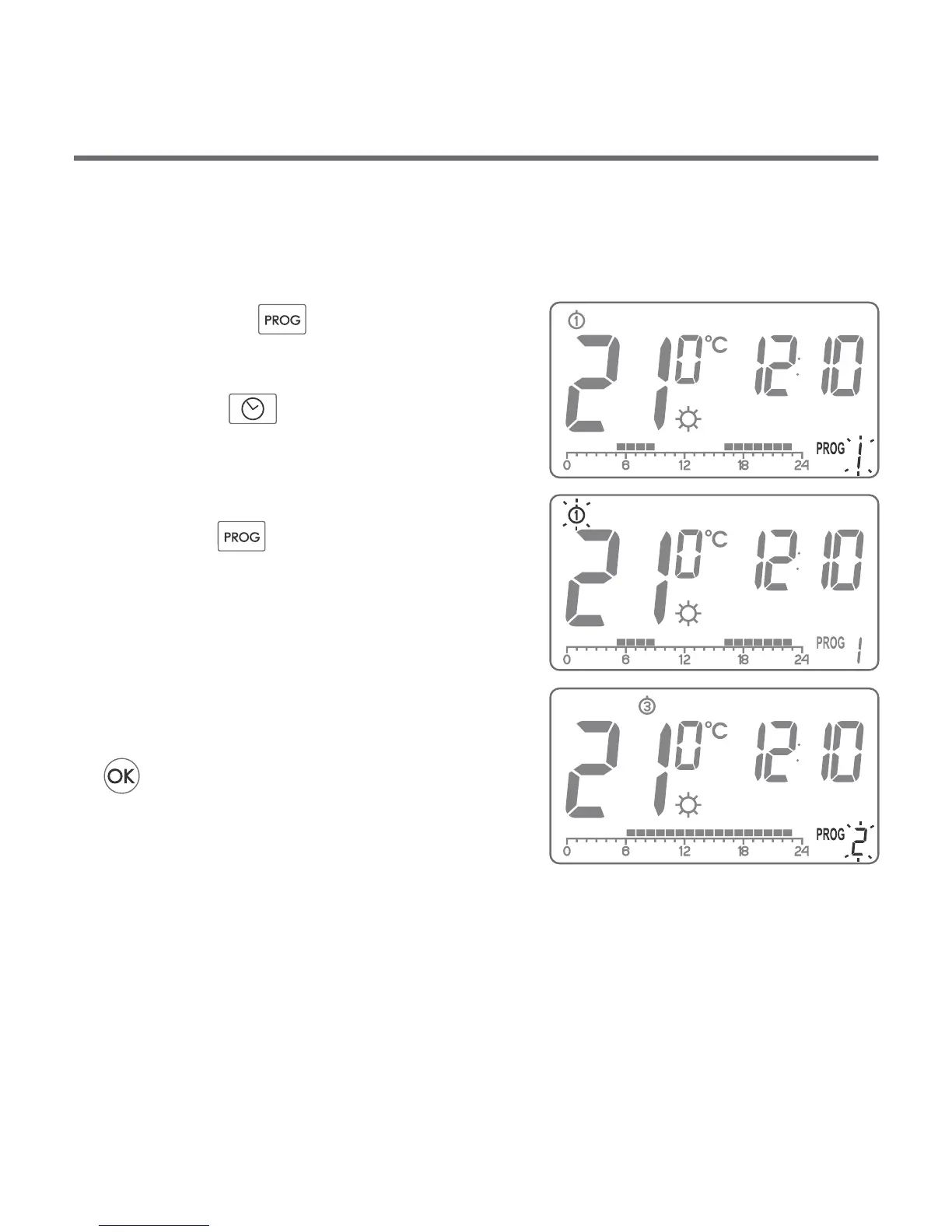
To set the program:
1. Press the . key. Program
number segment will start blinking.
2. Press the key as many times as
required to set the day of the week
for the program.
3. Press the key several times and
select the program number
requested. Programs 0-2 are
factory-set, programs 3-8 can be
edited.
4. Confirm selection pressing the
key.
5. Repeat the procedure for the
following days of the week.
Prog
zega
Prog
OK.


 To Next Page