Introduction to programming
Timeline
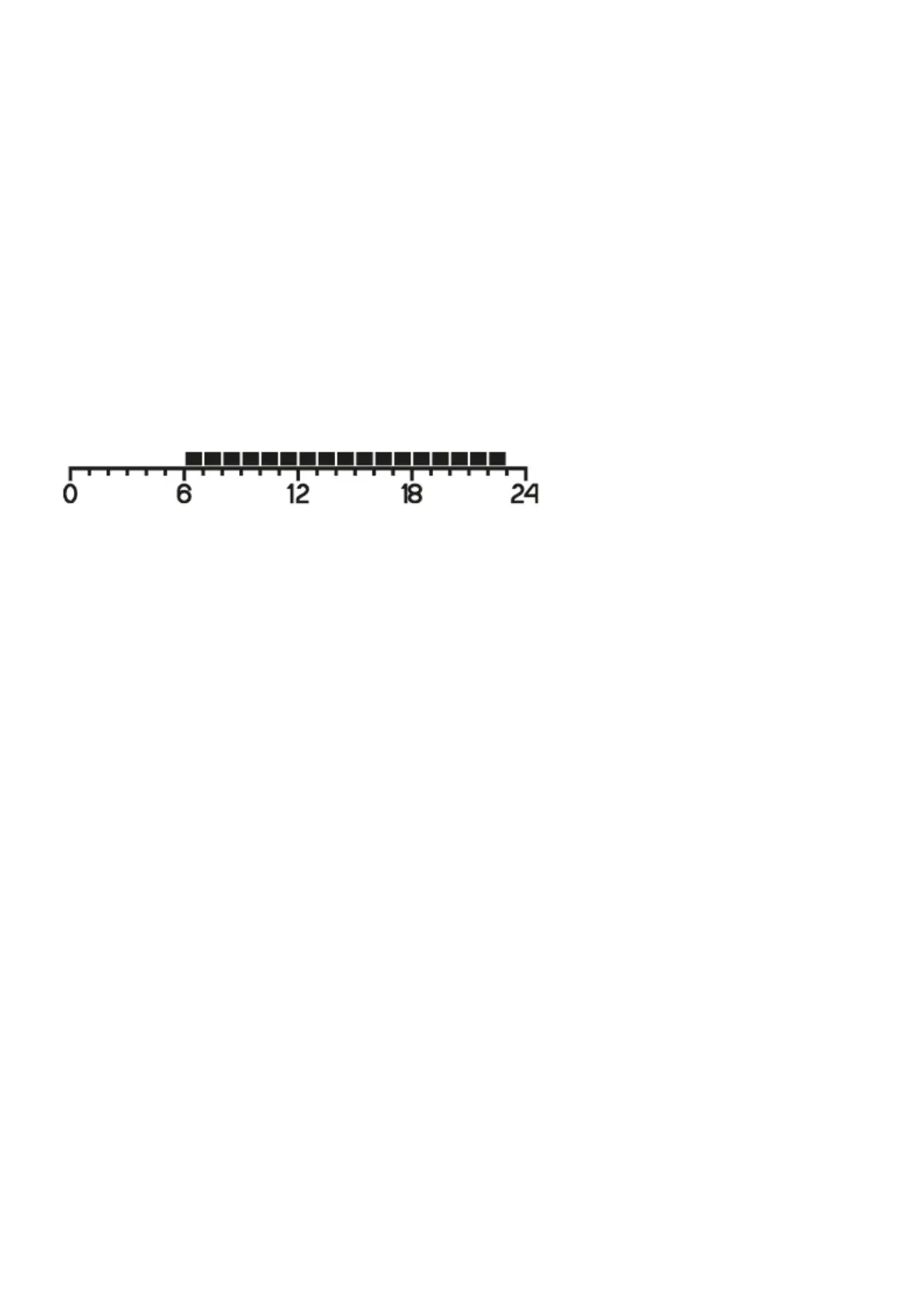
The timeline on the LCD display is divided into 24 sections. Each of them symbolizes 1 hour of the day.
Black rectangles above the timeline mean that the day temperature has been programmed for specific
hours, and that there is no night temperature.
Example:
The figure above shows that from 6.00 A.M. to 11.00 P.M. Auraton Libra will control the heating device
in such a way that the room temperature will be day temperature (S). AURATON Libra will switch to
night temperature from 11.00 P.M. to 6.00 A.M. (T).
Factory programs
In order for AURATON Libra to know when to turn on the day and night temperatures, you should be
set to an appropriate program for each day of the week. For this purpose, you can use one of the three
factory programs (from 0 to 2):
Program no. 0 – anti-freezing U
Unmodifiable factory program. Designed for all-day anti-freezing temperature setting.
Program no. 1 – weekly
Unmodifiable factory program. Sets day temperature from 5:00 to 8:00 A.M. and from 3:00 to 11:00
P.M.



 To Next Page