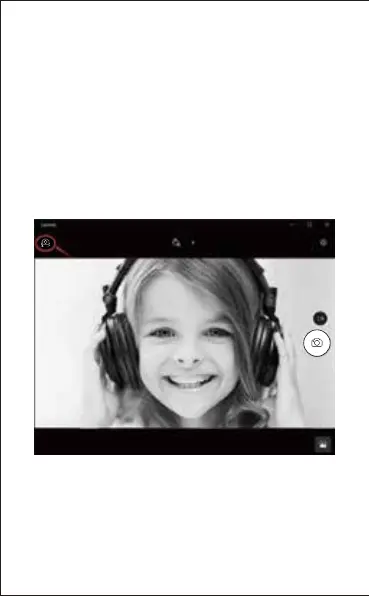
C.On the right side of the app, you’ll find two buttons: one for
taking photos and one for recording videos. The bigger button
shows you the mode that’s currently on. To switch the mode,
just click or tap the other video or photo button. To take
photos/record videos:
-Take photos: in photo mode
→
click or tap photo button.
-Record videos: in video mode
→
click or tap video button to
start
→
click or tap video button again to stop.
D.To switch from built-in camera to AUSDOM camera, please
click “camera switch” at the top-left corner.
EN-7


 To Next Page