5
(Notes: If fail to connect, pls try the following
steps by hands.)
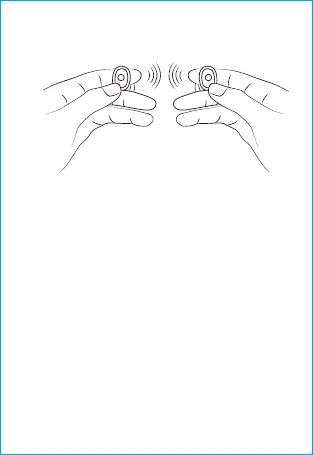
1. Press and hold both Earphones for 3s to
power off
2.Press and hold two Earphones for 15s ( LED
blue ---red and blue blinks alternatively --- red
and blue blink twice at the same time)
3. Press and hold two Earphones for 2s again to
power on (LED blue), Or put the earphone back
into the charging case and take it out.
Two Earphones will auto pair with each other.
When LED on left Earphone turns blue and red,
right Earphone turns blue, it means both sides
connected successfully
Search for TW01 on mobilephone and connect it
L R


 To Next Page