65
TIPS
Tool is set to default settings until changes are made.
To Enter the Setting Menu
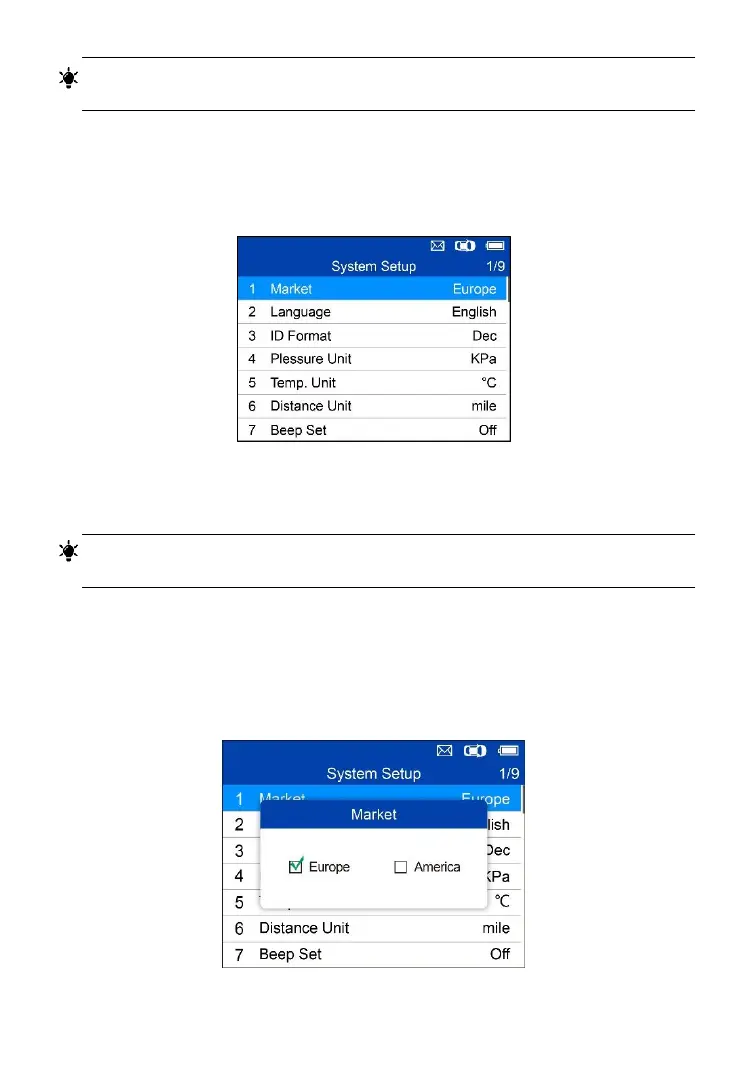
From the Main Menu: Select Setting and press the Y button. The Setting
menu displays as below.
Figure 5-20 Sample System Setup Screen
Market
TIPS
The default market selection depends on the area the tool is sold.
1. From System Setup screen, use the UP/DOWN scroll button to select
Market, and press the Y button.
2. Use the LEFT/RIGHT scroll button to select the desired market or tool
operating region and press the Y button to save your selection and return
to previous menu.


 To Next Page