Back button
Pressing the Back button (9) takes the user back out
of the menu again and discards the settings. This
means that the previous values are retained.
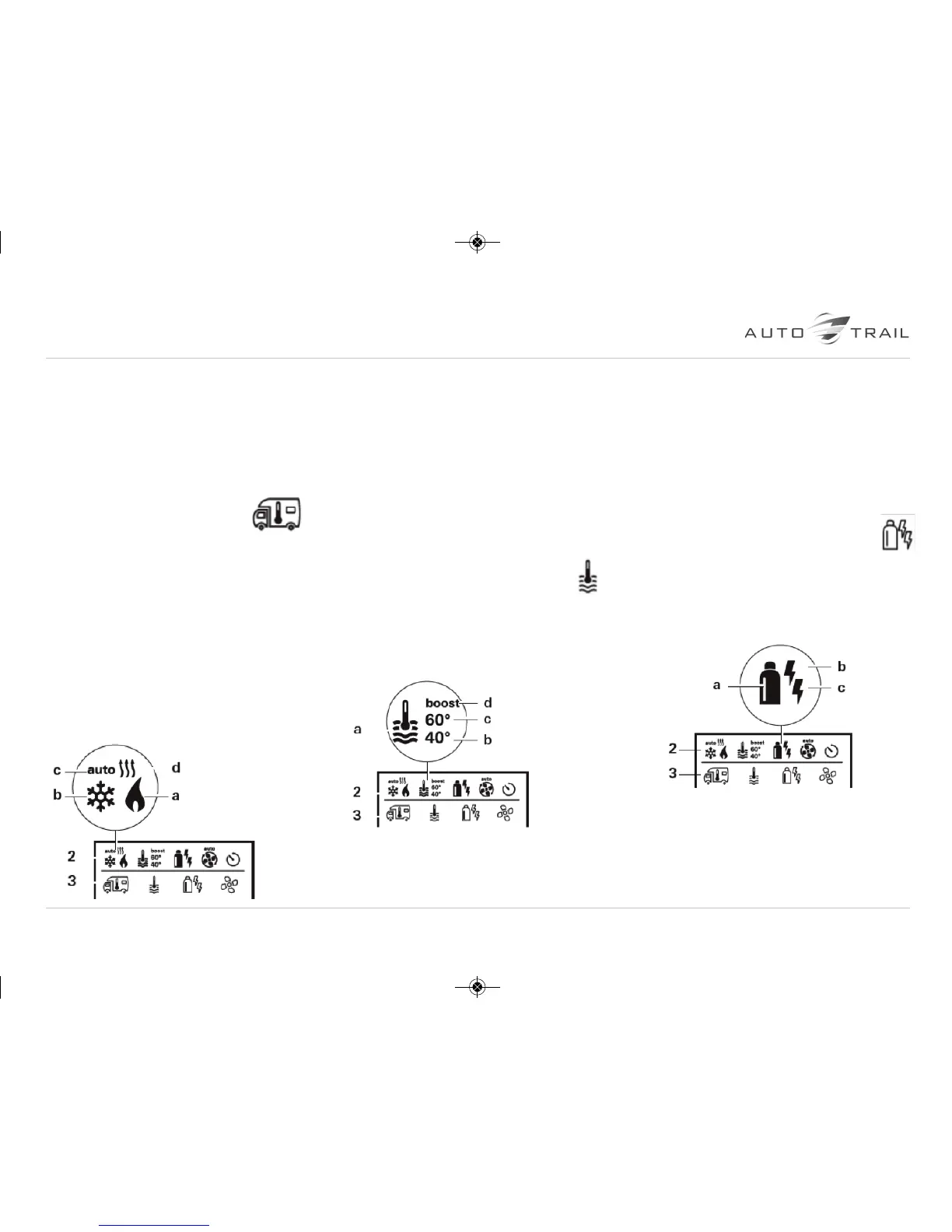
Change the room temperature
• Use the control knob / push button to
select the symbol in menu line (3).
• Click to change to the setting level.
• Depending on the connected device, use the
control knob / push button to select between the
heater or air conditioning unit
(please note the air conditioning unit is not a
factory fitted option).
• Use the control knob / push button to select
the required temperature.
• Click the control knob / push button to confirm the
value.
Heater
Settable temperature range 5 - 30 °C (1 °C steps)
a = heater * – Heater is switched on.
Air conditioning unit (please note this is not a
factory fitted option)
Settable temperature range 16 - 31 °C (1 °C steps)
b = cool * – Air conditioning unit is switched on.
c = auto – Air conditioning unit is set to automatic
d = hot – Air conditioning unit is in heating mode.
* This symbol will flash until the required room
temperature is reached.
Change the warm water level
• Use the control knob / push button to select
the symbol in menu line (3).
• Click to change to the setting level.
• Use the control knob / push button to select the
required level.
• Click the control knob / push button to confirm
the value.
a = Boiler * – Warm water boiler is switched on.
b = 40° – Warm water temperature 40 °C
c = 60° – Warm water temperature 60 °C
d = boost * – Targeted, fast heating of the content
of the boiler (boiler priority). The water temperature
is kept at the higher level (around 62 °C). Once
the water temperature is reached, the room is
heated again.
* This symbol will flash until the required water
temperature is reached.
Select power type
• Use the control knob / push button to select
the symbol in menu line (3).
• Click to change to the setting level.
• Use the control knob / push button to select the
required power type.
• Click the control knob / push button to confirm
the value.
Symbol Operating mode Power type
a Gas / Diesel Gas
b EL 1 Electro
b + c EL 2 Electro
a + b Mix 1 * Gas + Electro
a + b + c Mix 2 * Gas + Electro
* Mixed mode
31
together we’re going places
Truma Combi 4E / 6E
Owners Handbook :



 To Next Page