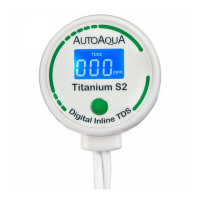
1
Installation
1. Remove the battery insulation tab.
2. Insert the sensor fully into the union tee and make sure the sensor
pins are perpendicular to the direction of the union tee as shown in
the diagram. Both pins should be seen when looking through the
union tee so the water will flow over both pins equally.
3. Turn off the RO/DI systems. Cut the tube at the desired monitoring
point and connect the cut tubes to the union tee.
2
3
1
PULL
Digital Inline TDS Description
TDS Indicator
TDS Level
Parts per million
Low Battery
Indicator
1
Button Cell
Battery
2
Power/ TDS
Switching Button
Calibration
Button
3
Low Battery Indicator : We recommend to change the battery when
this icon shows. Battery Model : CR2032
Power/ TDS Switching Button :
i. Press to turn on TDS monitor. Press for 3 seconds to turn off (monitor
will automatically shut off after 3 minutes).
ii. Press to switch between different TDS sensors when TDS monitor is
on (S2 and S3 only).
Calibration Button : Please refer to “Calibration” below.
1
2
3
Change for Simple


 To Next Page
 Loading...