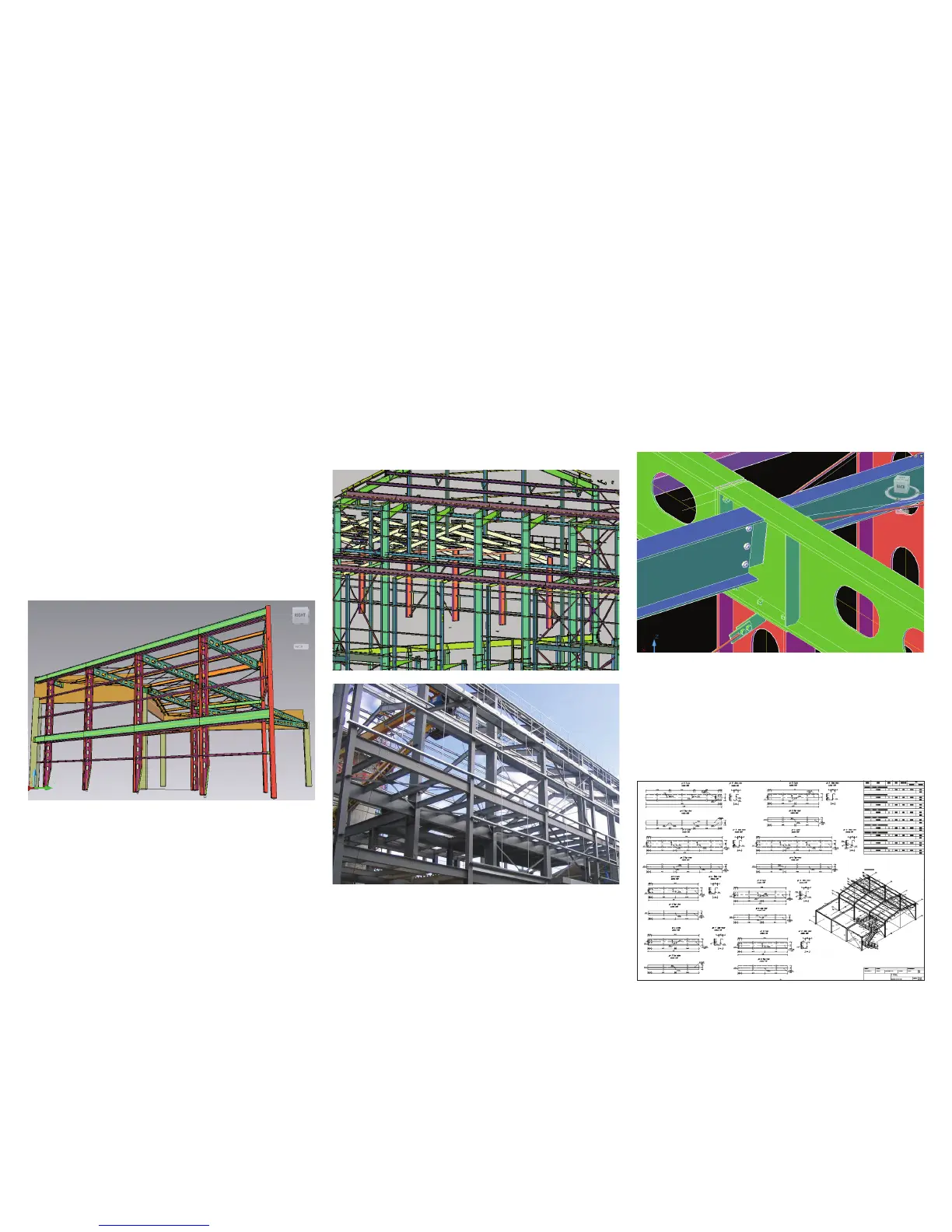
An integrated solution, the steel detailing
capabilities of AutoCAD Structural Detailing
software provide comprehensive and powerful
drafting tools for commercial and industrial steel
building projects.
Structure Definition
Create your model in a D environment from the
provided database library or define your own steel
shapes with AutoCAD Structural Detailing. Convert
any line from AutoCAD software into a viable steel
section, and precisely situate structural elements
using the D work frame. Define structural parts
and assign connections. In addition, convey and
present realistic complexities of your design with a
comprehensive D structural model.
Intelligent Objects
Help simplify your modeling processes using
profiles, plates, and other objects. Virtually cut,
lengthen, bend, split, and merge while updating
material takeos.
Powerful and Comprehensive Steel Modeling and Detailing
AutoCAD Structural Detailing software enables the creation
of precise structural steel models and shop drawings.
Powerful Modeling and Connection
Detailing Macros
AutoCAD Structural Detailing provides special
tools and smart macros that help speed automation
of time-consuming structural tasks, including
connections, roof trusses, stairs, railings, ladders,
and automatically spread elements, such as grates
or purlins.
Customizable Detailing and
Shop-Drawings Styles
Styles enable users to adjust the look of final shop
drawings. It is possible to change many drawing
elements, descriptions, symbols, dimensions, or
tables. Create new styles or modify existing ones
to help make your drawings look the way you want.
Drawings and Material Takeo Generation
Use your D structural model to automatically
generate workshop drawings, schedules, and
material takeo data. Intuitively change your model,
and leave time-consuming documentation updates
to AutoCAD Structural Detailing.
Photo and model courtesy of Christophe Tremoulet, Ingetech.



 To Next Page