EN
0
s
o
TIMER FAN SWING
MODE
A
V
0
FUNCTION ON/OFF
氺
1 Set Temp. I 0
广 • 嘛
. 1
Sleep
©
♦
氺
1 Set Temp. |
寒 ■ ■ 看
■ I
o
e
〇
TIMER
FAN
SWING MODE
1=1
FUNCTION
八
V
0
ON/OFF
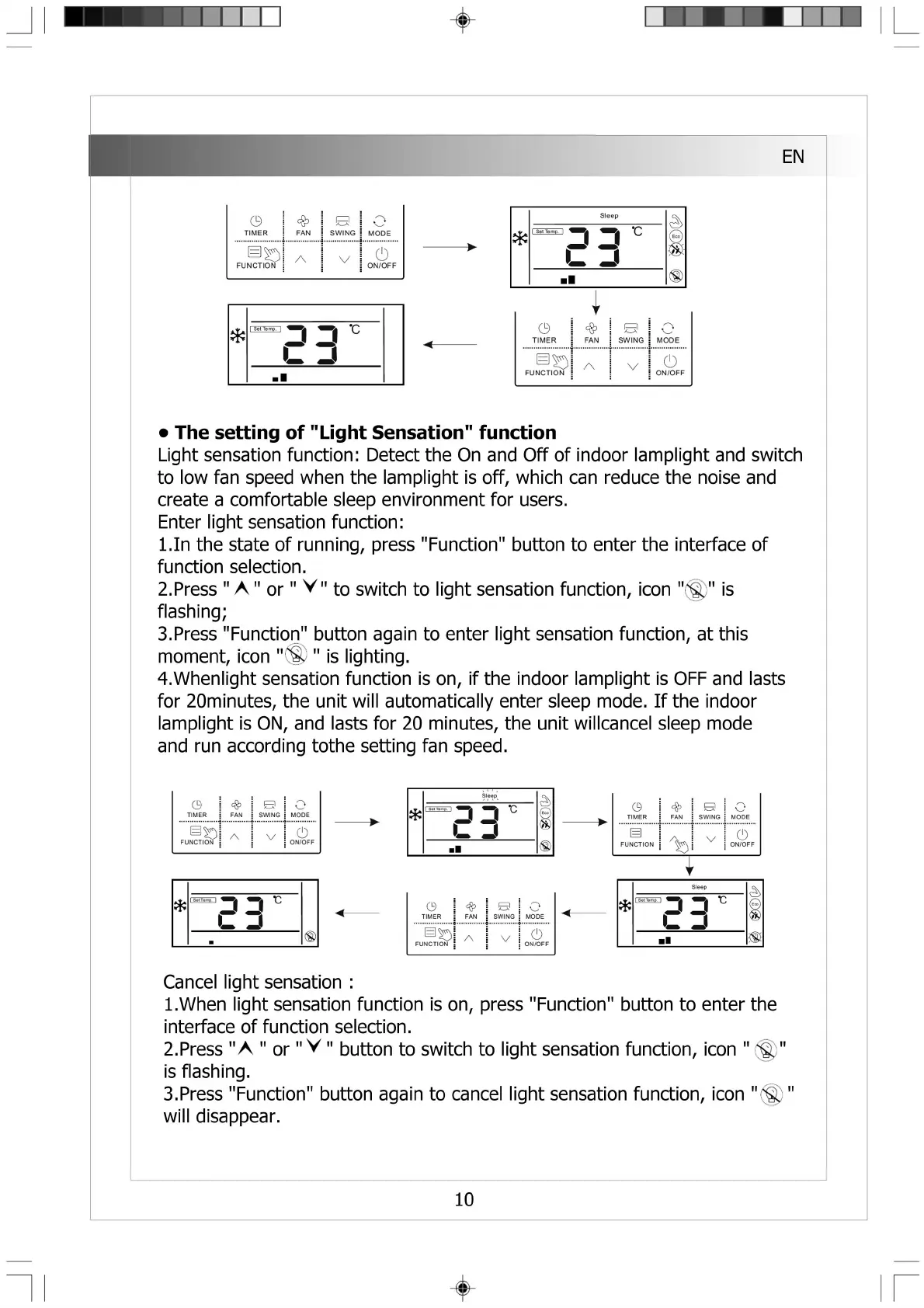
• The setting of "Light Sensation" function
Light sensation function: Detect the On and Off of indoor lamplight and switch
to low fan speed when the lamplight is off, which can reduce the noise and
create a comfortable sleep environment for users.
Enter light sensation function:
l.In the state of running, press "Function" button to enter the interface of
function selection.
2. Press " A " or" V" to switch to light sensation function, icon "(^)" is
flashing;
3. Press "Function" button again to enter light sensation function, at this
moment, icon "⑩ •' is lighting.
4. Whenlight sensation function is on, if the indoor lamplight is OFF and lasts
for 20minutes, the unit will automatically enter sleep mode. If the indoor
lamplight is ON, and lasts for 20 minutes, the unit willcancel sleep mode
and run according tothe setting fan speed.
Cancel light sensation :
1. When light sensation function is on, press "Function" button to enter the
interface of function selection.
2. Press "A " or" V " button to switch to light sensation function, icon "
is flashing.
3. Press "Function" button again to cancel light sensation function, icon "^)
will disappear.
10



 To Next Page
 Loading...