Need help?
Do you have a question about the Avantree Aria 8090t and is the answer not in the manual?
Details on power, volume, playback, and status LED for the Avantree Aria AS90T headphones.
Description of the charging base components including status LED and charging port.
Details on the DG80 dongle, its status LED, and multifunction button for pairing.
Step-by-step guide for connecting Avantree headphones and dongle to PC/Mac/PS4 and setting audio devices.
Instructions for pairing headphones with a smartphone or tablet via Bluetooth.
How to toggle between audio/calls on PC and a second device, and handle incoming calls.
Guidance on how the dongle and headphones auto-reconnect and manual reconnection steps.
How to activate and deactivate ANC, and notes on battery and wired mode usage.
Enabling sidetone for natural conversation and stereo-to-mono mixing for hearing assistance.
Instructions for using the headphones with the audio cable, noting limitations.
Information on when to recharge, charging methods, and indicators for headphones and charging dock.
Troubleshooting common issues like connection problems and microphone not working.
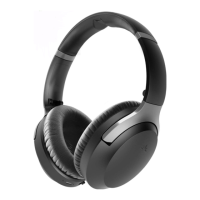
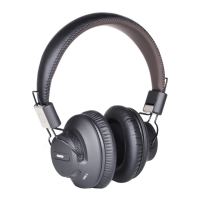
The Avantree Aria 8090t is a versatile wireless headphone system designed for a seamless audio experience across multiple platforms, including PC, Mac, PS4, smartphones, and tablets. This comprehensive system includes the AS90T wireless headphones, a DG80 USB adapter (dongle), a charging base, and a detachable boom microphone.
The core function of the Avantree Aria 8090t is to provide high-quality wireless audio for communication and entertainment. The AS90T headphones feature large, comfortable earcups and intuitive controls for managing calls, music playback, and various audio settings. The DG80 USB adapter ensures a stable and low-latency wireless connection to computers and gaming consoles, while Bluetooth connectivity allows for direct pairing with mobile devices.
A key feature of the AS90T headphones is Active Noise Cancellation (ANC), which helps to minimize ambient noise, providing a more immersive listening experience. The ANC function can be activated or deactivated via a dedicated switch on the headphones. When activated, a green LED illuminates to indicate its status.
For communication, the system offers a built-in microphone within the headphones, as well as a detachable boom microphone. The boom mic is recommended for optimal call quality and includes a mute switch for convenient control during conversations. The headphones support call management functions such as answering, ending, redialing, and rejecting calls, though some features are specific to mobile device connections.
Music playback is controlled directly from the headphones, with buttons for volume adjustment, play/pause, and skipping tracks. The system is designed for easy switching between different audio sources, allowing users to toggle between PC audio and mobile device audio without complex re-pairing.
The Avantree Aria 8090t also incorporates several advanced audio features to enhance user experience. The "Sidetone" feature allows users to hear their own voice during calls, promoting a more natural conversational feel. Additionally, a "Stereo to Mono Mixer" feature is available, which combines both right and left audio channels into each speaker. This is particularly beneficial for individuals with acute hearing loss in one ear, ensuring they receive all audio information.
To power on the headphones, slide the power switch to the "ON" position. To power off, slide it to "OFF". For initial pairing, slide the switch to "PAIR" and hold for 3 seconds until the LED blinks red and blue alternately. The DG80 USB adapter also has a multifunction button (MFB) for pairing, which involves holding it for 2 seconds until its LED flashes blue quickly.
Simply plug the DG80 USB dongle into your computer or PS4. Turn on the headphones, and they should automatically connect within 2-5 seconds, indicated by solid blue LEDs on both the dongle and headphones. For VoIP services, users must select "Avantree device" as the output and input device in their system and application settings.
To connect to a mobile device, put the headphones into pairing mode (slide to "PAIR" and hold for 3s until the LED blinks red and blue). Then, enable Bluetooth on your smartphone/tablet and select "Avantree AS90T" from the device list.
Users can seamlessly switch between audio sources by pausing or ending the current audio/call on one device and then initiating audio/call on the other. The system prioritizes smartphone calls, meaning VoIP calls on a PC may be interrupted by incoming phone calls on a connected mobile device. Users can manage these interruptions by declining or answering the call directly from their smartphone or headphones.
The DG80 dongle automatically attempts to reconnect to the headphones when powered on and within range. Similarly, the headphones will auto-connect to the dongle within 10 seconds if both are powered on and within range. For mobile devices, users can manually select "Avantree AS90T" from their Bluetooth device list to reconnect.
Activate ANC by sliding the dedicated switch to "ANC" on the headphones. A green LED indicates that ANC is active. Deactivate by sliding the switch to the opposite side. ANC requires the headphones to be powered on and will not function if the battery is too low.
During a call, press and hold the designated button for 3 seconds to enable or disable sidetone.
While the headphones are in use, press and hold both the volume up and volume down buttons simultaneously until a voice prompt announces "Mono mode" or "Stereo mode."
The headphones can be used as wired headphones by plugging in the supplied audio cable. The cable includes a built-in microphone. Note that the detachable boom microphone and headphone buttons do not function in wired mode.
The headphones' LED will flash red once every 60 seconds when the battery is low. To recharge, place the headphones onto the charging dock or connect them directly to a USB wall charger (DC 5V/0.5-2A) using the included USB Type C cable. A full charge typically takes about 2 hours.
When charging on the dock, the stand's LED indicator will be solid white and turn green when charging is complete. The headphones' LED will turn red while charging and turn off once fully charged. It is important not to charge the headphones using both the desktop charging stand and the USB Type C cable simultaneously to prevent damage.
To assemble the charging base, align the arrow on the hanger support with the "UNLOCK" position on the base. Insert and twist clockwise until it clicks into position.
In cases of connection issues, a factory reset of both the DG80 dongle and AS90T headphones is recommended. To reset the DG80: Power it on, enter pairing mode (hold MFB for 2s until blue LED flashes rapidly), then press MFB twice. The LED will light blue for 5 seconds, indicating a successful reset, and then re-enter pairing mode. To reset the AS90T: Turn on the headphones, then press and hold the volume up and volume down buttons simultaneously for about 5 seconds until the LED turns pink, indicating a successful reset. It will then re-enter pairing mode (red and blue LED alternately). After resetting both devices, keep them close together for reconnection. Once connected, press the DG80 MFB twice to lock the connection, indicated by the DG80 LED flashing blue 5 times quickly.
If the microphone is not picking up sound, check that the boom mic is firmly seated in the audio jack and that its mute switch is not accidentally engaged. Verify that "Avantree Device" is selected as the input source in your computer's settings and VoIP app. For further assistance, Avantree support is available.
 General
| Model | Aria 8090T |
|---|---|
| Bluetooth Version | 5.0 |
| Play Time | Up to 35 hours |
| Driver Diameter | 40 mm |
| Impedance | 32 ohms |
| Frequency Response | 20 Hz - 20 kHz |
| Foldable Design | Yes |
| Built-in Microphone | Yes |
| Water Resistance | No |
| Product Type | Wireless Headphones |
| Audio Codecs | SBC |
| Operating Range | 10 meters (33 feet) |
| Charging Time | About 3 hours |
| Noise Cancellation | Active Noise Cancellation |


 To Next Page