
 Need help?
Do you have a question about the AVANTREK Macrover 100 and is the answer not in the manual?
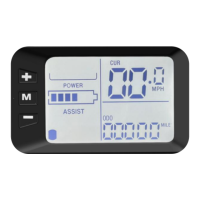
Avantrek fat-tire eBike LCD display (Model: LCD-G51).
Working voltage, off voltage, electric current, operating, and storage temperatures.
Materials and color of the LCD display and its dimensions.
Lists functions like battery charge, assist level, motor RPM, speed, trip distance, and error codes.
Explains the use of MODE, UP, and DOWN buttons for display operation and adjustment.
Instructions for turning the display on/off using MODE, and its auto-off feature.
Switching between cumulative and trip distance using the MODE button.
How to activate and use the Walk Assist mode with the DOWN button.
Changing the motor's power assistance level using UP or DOWN buttons.
Details common error codes for Avantrek Bikes and their potential causes or solutions.
Precautions for display usage, connection, positioning, and avoiding bike use with errors.
 General
| Brand | AVANTREK |
|---|---|
| Model | Macrover 100 |
| Category | Bicycle Accessories |
| Language | English |

 To Next Page