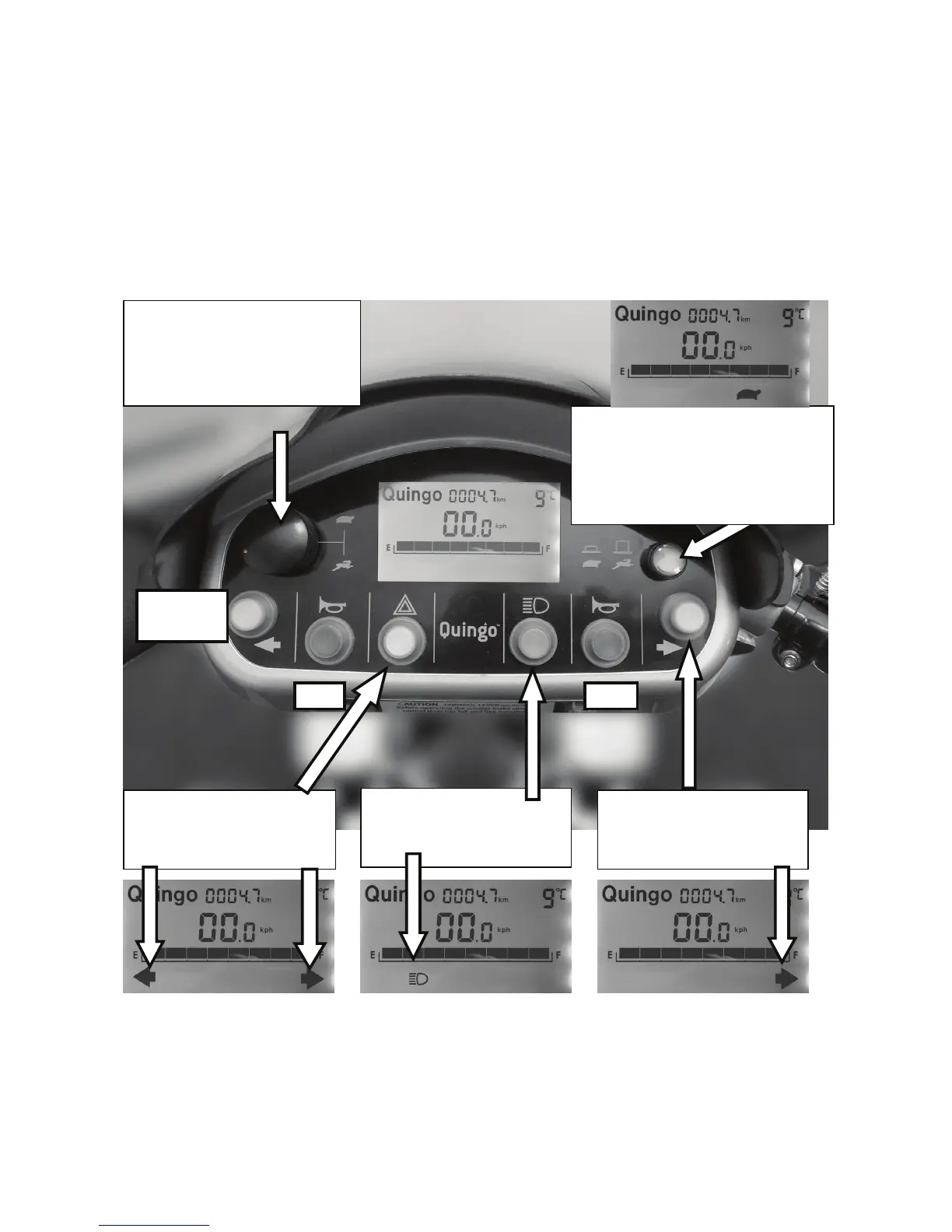
When buttons are pressed on the dashboard, in most cases an icon will illuminate on
the display. Below we show the basic functions of the switches and what is displayed.
There are also other features that can be displayed.
Please note that the separate displays in this photograph show different indications.
The Horn
Notice that you have 2 horn buttons to allow for both left and right-handed users. In
this instance no additional icon is displayed.
Speed Control
This controls the top speed of your
scooter. Turn anti-clockwise to
decrease speed & clockwise to
increase speed.
When this button is depressed the top
speed will be halved. This feature is
normally used in a pedestrian area. In
some countries this is law.
Check with your local authority.
Press for turning right and the
other side for left
Press and front & rear lamps
switch on
Press and the hazard warning
lamps switch on and the horn
will beep


 To Next Page