3
AVer Information Inc. Support Guide – AVer Pro-AV Camera (02/04/2022)
PTZ310/PTZ330 Camera RTMP Streaming to YouTube Live
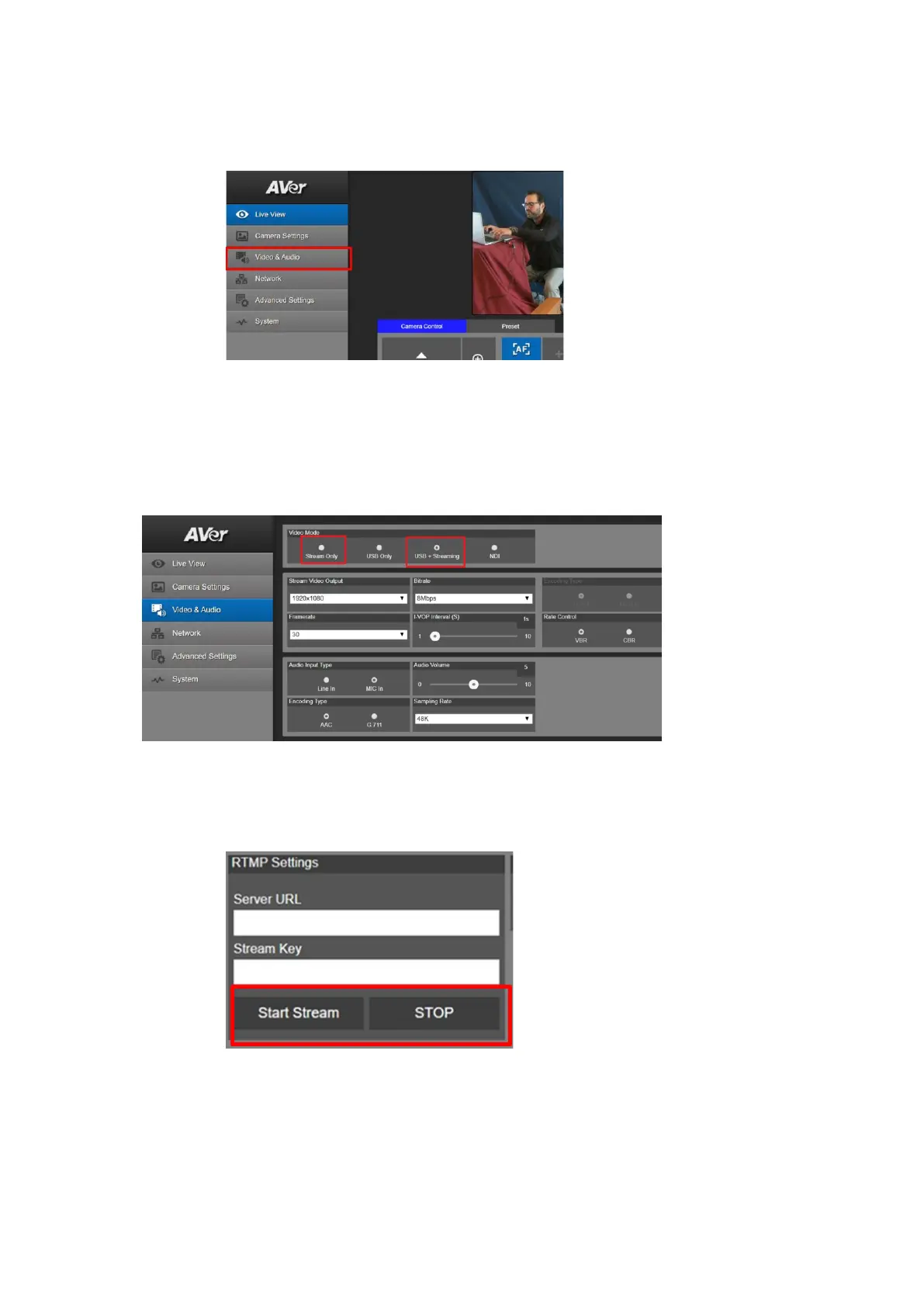
4. Next, you should now see the main login screen with a “Live View” of the PTZ Camera.
5. Next, after selecting the Video & Audio setting, verify that you have either “Stream Only”
selected or “USB + Streaming” selected. Select your Stream Video Output standard, Bitrate,
Framerate, Encoding, etc. *Note: Some servers require minimum bitrate of 2.5Mbps for their
environment.
*Note: Once streaming has started do not change the Stream Video Output on the fly, you
will need to “Stop” streaming, change the Stream Video Output, then “Start” the stream
again.



 To Next Page