8
AVer Information Inc. Support Guide – AVer Pro-AV Camera (02/04/2022)
TR530/320 Camera RTMP Streaming to YouTube Live (continued)
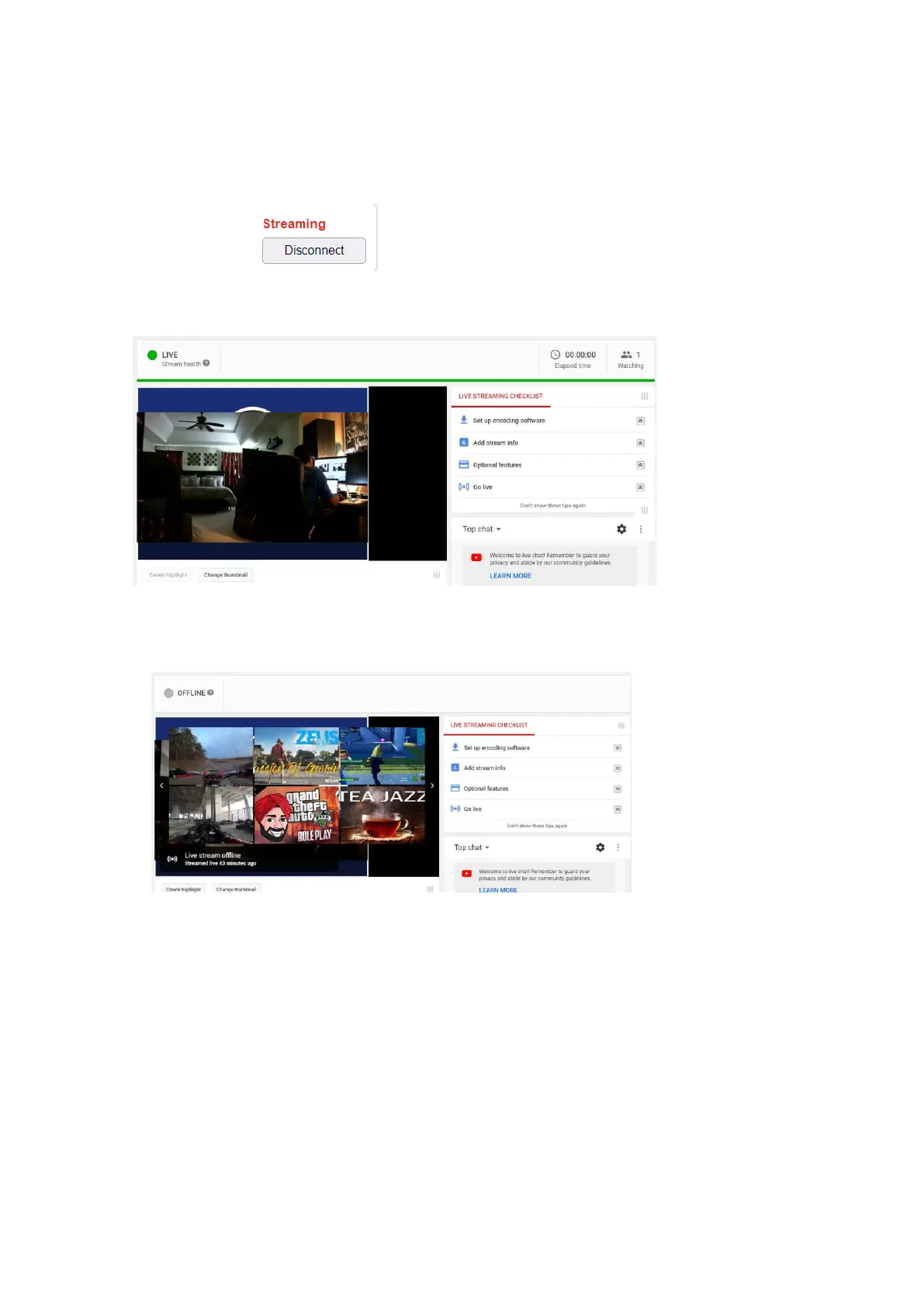
10. Next, to begin the Stream from the TR Camera, select Connect, you should see a red
“Streaming” text appear, to indicate you are now streaming. This is where you would also
“Disconnect” from the stream.
11. To verify, go to your YouTube Live Dashboard and verify the video feed from the TR530
camera.
12. To end the streaming feed from the TR camera, go to the WebLogin and select “Disconnect”.
13. To verify on YouTube, go back to your YouTube Live Dashboard, it should now be displaying
“OFFLINE”.
14. This concludes the AVer TR530 Camera integration within the YouTube environment.



 To Next Page