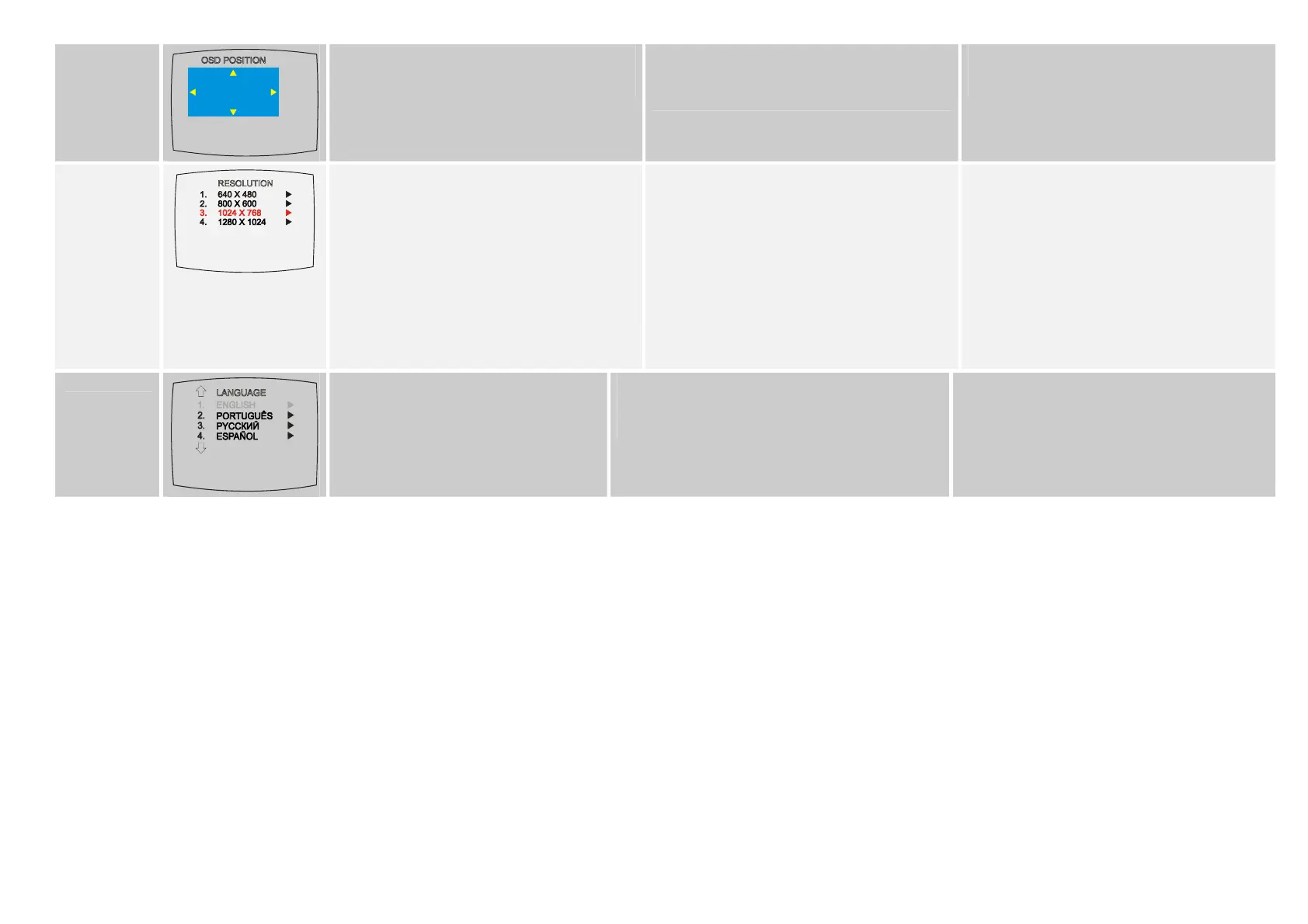
Use the CH▲, CH▼, Vol◄, and Vol► buttons Używając przycisków CH▲, CH▼, Vol◄ oraz Vol►
można przemieścić to okienko do miejsca, w którym
ma znajdować się MENU, a następnie potwierdzić
wybór przyciskiem MENU.
OSD POSITION to
move the frame where you want to set the position of
the MENU, then press MENU.
Použite CH▲, CH▼, Vol◄, a Vol► tlačidlá pre
pohyb na obraze, kde chcete zobraziť MENU, potom
stlačte MENU.
)
Use the CH▲ or CH▼ buttons to choose from 4 Użyj przycisku CH▲ lub CH▼, tak by wybrać spośród Použite CH▲ alebo CH▼ tlačidlá pre výber zo 4 RESOLUTION
display resolution then press Vol►.
Use the CH▲ or CH▼ buttons to select NO to
restore the original resolution setting or YES to accept
the new resolution setting then press Vol►.
If the monitor can not support the new setting, the
original setting will be automatically restored after 10
seconds or press PC BGM/Res. button of the
remote control to switch to different resolution
settings.
4 możliwych ustawień rozdzielczości monitora. riešení a potom stlačte Vol►.
Następnie użyj przycisku VOL►.
CH▲ alebo CH▼ tlačidlá pre voľbu NO pre obnovu
Użyj przycisku CH▲ lub CH▼, tak by wybrać NIE i originálneho nastavenia alebo YES pre akceptáciu
przywrócić orginalne ustawienia, bądź też TAK, by
zaakceptować wybraną rozdzielczość. Następnie użyj
przycisku VOL►.
W przypadku gdy monitor nie jes
originálneho nastavenia, potom stlačte Vol►.
Uloženie v monitore nepodporuje nové nastavenia,
originálne nastavenie bude automaticky zmazané po
t w stanie obsłużyć 10 sekundách alebo stlačte PC BGM/Res. Tlačidlo na
nowych ustawień, orginalne ustawienia będą diaľkovom ovládači pre zmenu nastavenia.
automatycznie przywrócone po upływie 10 sec. lub
naciśnięciu przycisku PC BGM/Res. na pilocie
(służącym do przełączania pomiędzy różnymi
ustawieniami rozdzielczości monitora).
LANGUAGE
)
Use the CH▲ or CH▼ buttons to select from
different languages then press Vol►.
Use the CH▲ or CH▼ buttons to select from different
l
P oužite CH▲ alebo CH▼tlačidlá pre voľbu z iných
anguages then press Vol◄. Używając przycisków CH▲ jazykov a stlačte Vol► .
lub CH▼ można dokonać wyboru języka zatwierdzając
r przyciskiem Vol►. wybó


 To Previous Page
 Loading...