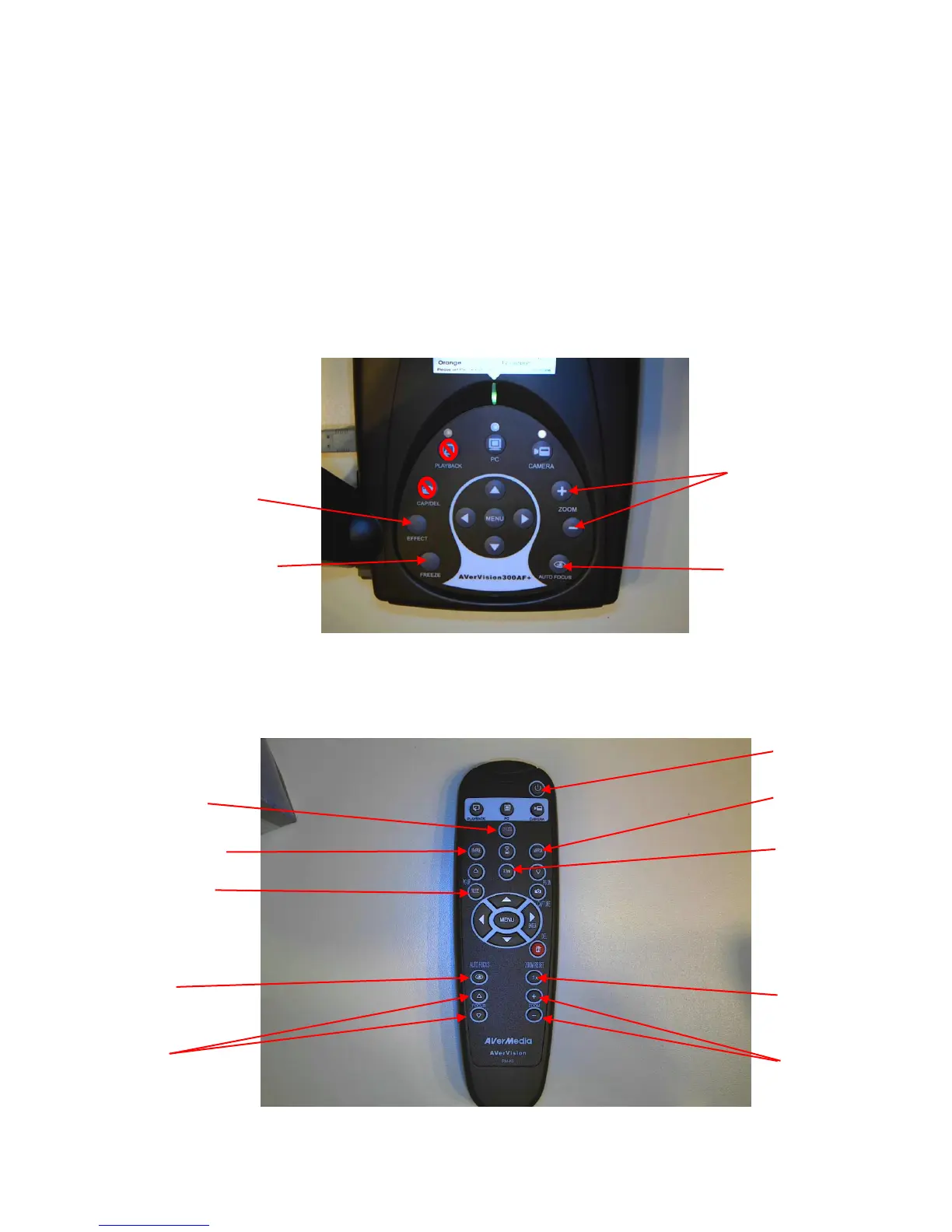
Camera button will take you back to the live image
Freeze button will freeze the image
Effects button will toggle from color, B&W, and negative
Timer feature from the menu will allow a countdown (when not connected
via USB)
Reverse and Mirror can be achieved from the remote
Low light conditions – use N. View from the remote (frame-rate will be
lower) or use the LED light module
6. Remote Control (the labeled buttons are the only ones functional when set
up through a USB connection)
Toggle between 3
Effect settings
Night View (for low
light conditions)
Zoom Reset – sets
back to original
zoom
Toggle between
effect settings



 To Next Page