User’s Manual
2-5
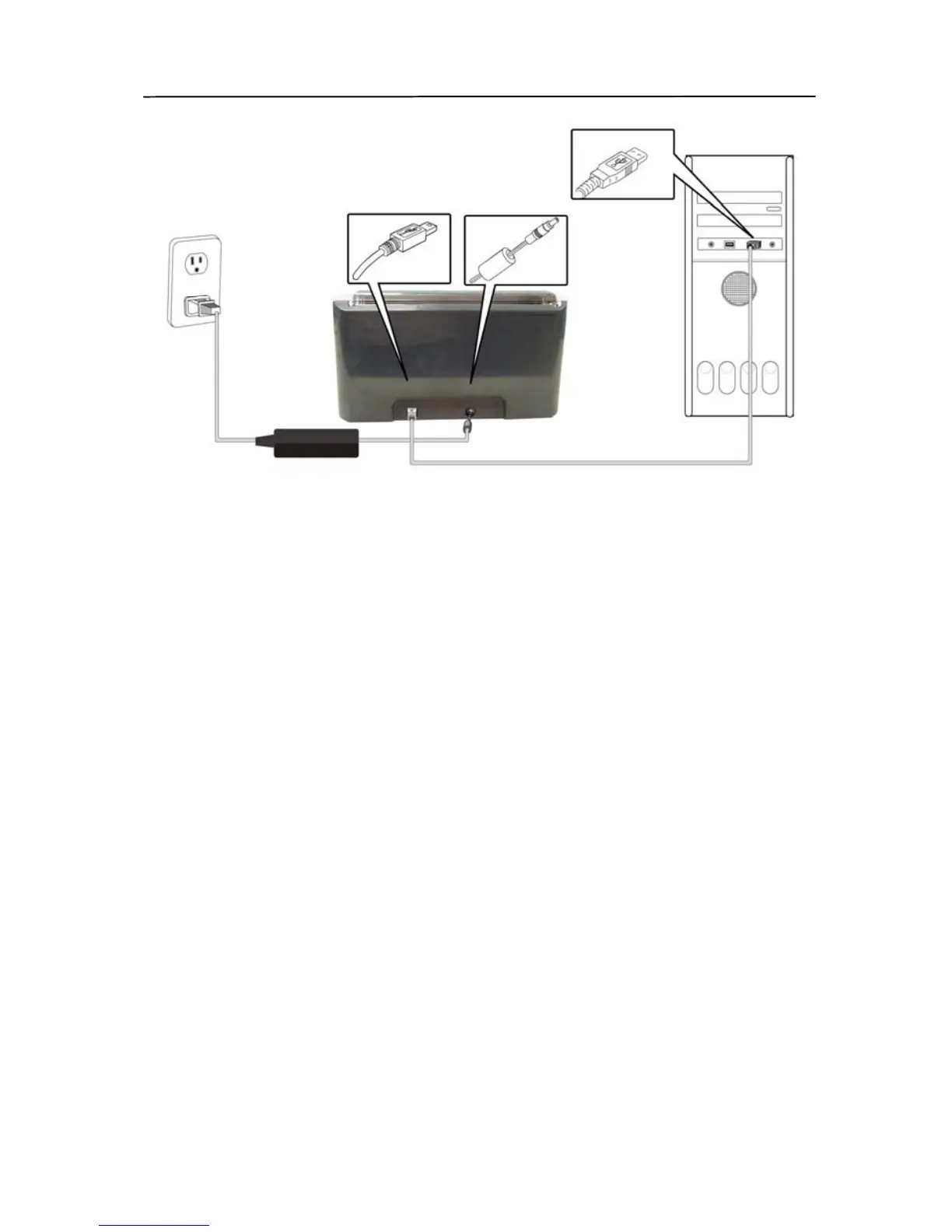
2. The computer should detect a new USB device and prompt
a “New Hardware Found” message.
3. In Windows XP, click the Next button to continue. When
the XP certification screen appears, click Continue
Anyway to complete the installation.
4. When the Finish dialog is prompted, click the Finish
button.


 To Next Page