User’s Manual
Assembling Procedure
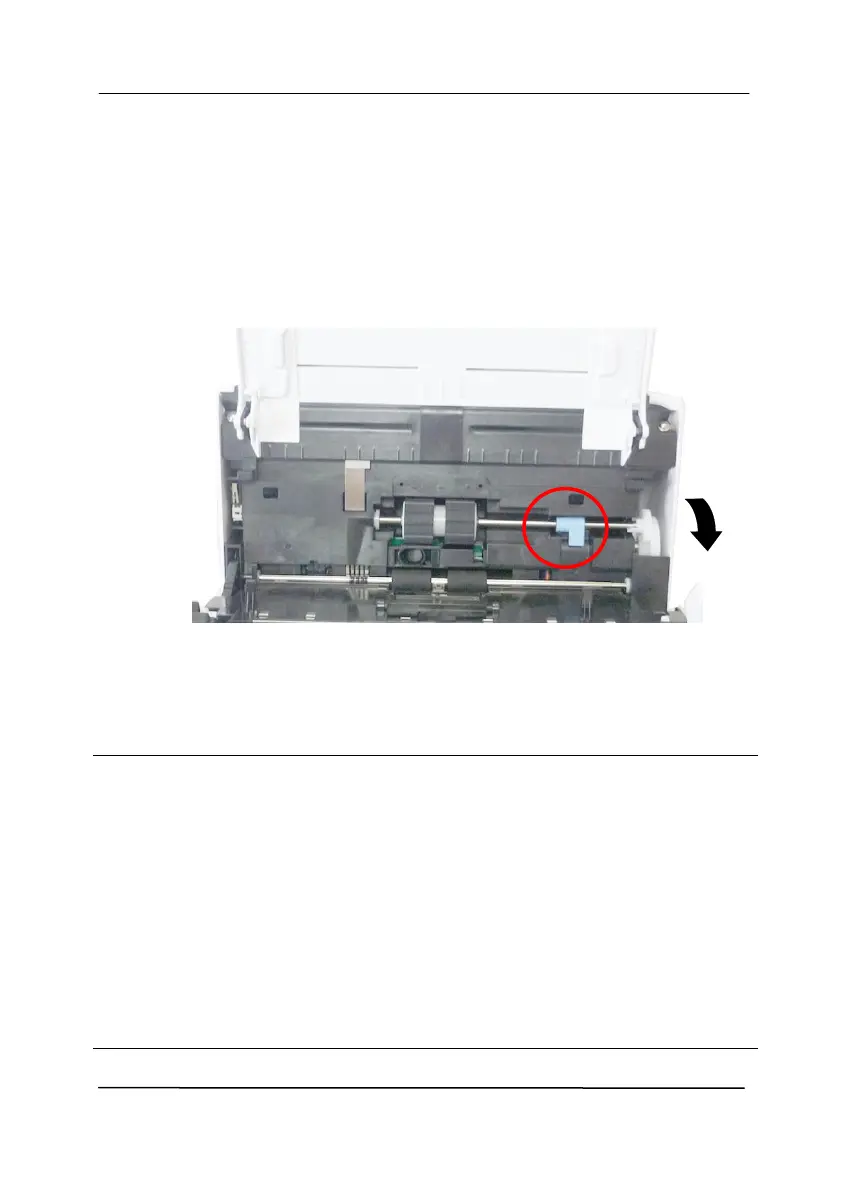
1. Insert the left end of the ADF roller first to its slot and place the
ADF roller to its proper position.
2. Move the tab of the ADF roller DOWN.
3. Close the ADF roller cover. A snap-in sound could be heard if
correctly installed.
Note:
Consumables must be replaced regularly. It is recommended
to purchase new consumables in advance so that they can be
replaced before the end of their life time.
The replacement cycle is based on the use of A4 (80 g/m2
[20 lb]) wood-free paper or plain paper. The actual cycle
varies according to the type of used paper and how
frequently the scanner is used and cleaned.
Use only the specified consumables.
To purchase consumables, contact the store where you
purchased the scanner or an authorized scanner service
provider.



 To Next Page