54
Smart Watch Features
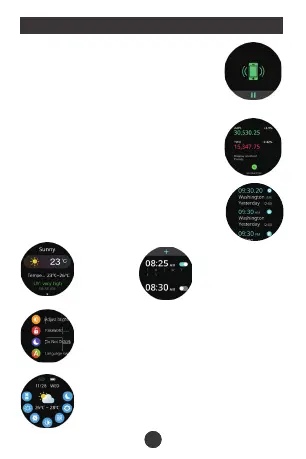
Find phone:
When the watch is connected to theA PP,
the phone will make a sound after tapping it.
Stock market
APP "device" - "stock market" - "add" jump
search On the page, click the search icon
at the top right to enter the stock name to
searchadd to.
Searching
Shortcut menu:
Do not disturb mode Brightness adjustment
set up Screen is always on
QR Code Alarm clock
Audio source switching
Weather:
Weather
forecast.
Alarm
clock:
Set the alarms in
APP and sync to
watch, maximum
5 alarms.
World clock:
APP "Device" - "World Time" - "Add", yo u
can Scroll down to select or click the search
icon at the top right to ente rar egion name
Search to add.
Menu Style
Settings:
Adjust brightness, Password, Do not disturb
settings, Language switch, Menu style, System
menu, Standby dial, Raise your hand to light the
screen, On screen time, About
Adjust Bright...
Do Not Disturb...
Language Switch
9


 To Next Page
 Loading...