EasyManua.ls Logo

Axess TV1703-7 - User Manual

Axess TV1703-7
13 pages
Print Icon
To Next Page IconTo Next Page
Loading...
-3-
-5-
-4-
-6-
Operation
Instructions
TV1703-7
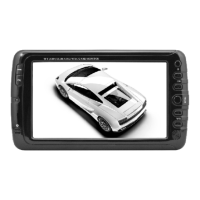
LCD Color Digital TV
Contents
I Precautions ..................................................... 1
II Accessories ...............................................................2
III Appearance................................................................3
IV Remote Control Instructions ....................................4
V Basic Operation ........................................................6
VI TV Menu Operation ...................................................7
6.1. Picture .................................................................7
6.2. Audio ...................................................................7
6.3. Time.....................................................................8
6.4. Setup ...................................................................8
6.5. Security ...............................................................9
6.6. Channels .............................................................9
VII Troubleshooting ......................................................10
IX Technical Parameters ............................................. 11
I Precautions
Storage
1. Keep this product away from extremely hot or cold places. Storage
temperature ranges from -20 to 60 and working temperature
from -5 to 40.
2. Do not use this product in damp environments such as bathtubs,
wash basins, kitchens, washtubs, basements, swimming pools or
similar places.
3. Do not expose your TV set to high humidity, dust, or oil smoke.
4. Do not throw or drop this product.
5. Do not subject this device to the inside of a case or strong vibrations;
avoid strong collision.
6. Do not push on or scrub this product with sharp objects.
Maintenance
1. Disconnect all cables from this device before cleaning.
2. Wipe the enclosure, screen and keys using a soft cloth with a
little soft detergent.
3. Do not use polishing cloth, abstergent, any type of propellant, or
chemical detergent, like alcohol and benzene, to clean your device.
Warning!
1. Do not watch television programs or turn on your TV set while
driving, for your own and others' safety.
2. It is very dangerous to watch television programs or operate the
TV set while driving.
Special Notice
1. Bright spots or dark spots may appear on the screen. This is a
normal phenomenon associated with the active matrix display
technology and is not a sign of malfunction. Do not attempt to
repair. For any failures, please turn off your TV set immediately
and contact us, or your dealer. This device integrates a great deal
of fine electronic components. Disassembly or alteration may
result in damage.
2. This Unit is controlled by a microcomputer. If it runs
abnormally, please restart it.
II Accessories
1. AC adapter
2. 75 ohm antenna conversion cable (screw connector)
3. Remote control
4. AV conversion cable
5. Telescopic antenna
6. User manual
* Open the package and make sure all the items are included.
-1-
-2-
III Appearance
1. MODE: Operation mode shift button.
2. OK: Confirm button
3. CHG: For use with built-in rechargeable
batteries - Charge indicator. Bright when
recharging. Dim state indicates a full
charge. (Only available for
the machine of
internal battery)
4. Remote-control receive window
5. TFT-LCD screen
6. : Standby
7. CH/: Channel Select, Upward
button / Channel Select, Downward
button
8. MENU: Menu button
9. VOL/: Volume down,
Leftward button / Volume up,
Rightward button
10. Loudspeaker
11. Antenna input Jack
12. Headphone jack
13. AV1 IN
14. AV2 IN
15. DC Input
16. Power on/off
17. USB connect Jack
18. SD/MMC type CARD input port
IV Remote Control Instructions
(Power Switching Key): When you press this key, the TV set
will be turned off. Press again, the TV set will be turned on.
ZOOM: Picture modes
FREEZE: Freeze ON/OFF
(Mute Key): When you press this key, the sound will
be muted. Press the key again or press VOL+ the sound
will return to normal.
Channel Key (Number key (0-9) and --/- ):
Press relevant key directly when you want to change channels.
Return Key: Press this key to return to previous channel you
were watching. Press again to return to current channel.
SOURCE: Press this button to switch between
TV / AV1 / AV2 / CARD / USB mode.
INFO: When you press this key, the system will show the
message
/information of present program.
: up and down direction key
: left and right direction key
CH+ / CH- (Program selection key):
Press CH+ key to increase the channel.
Press CH- key to decrease the channel.
VOL+ / VOL- (Volume control key):
Press VOL+ to turn up the volume.
Press VOL- to turn down the volume.
ENTER: confirm button
MENU: Menu key. When you press this key, the main menu
will display onscreen.
EXIT: Exit Key. Press this key, exit operation and return to
the program.
AUDIO: Audio language button.
CC: Close / Open Caption.
EPG: When you press this key, the system will show the
program guide menuATSC mode).
P.MODE: Image Mode Key. Press this key to select four image
modes: Standard, Dynamic, Soft and Personal.
S.MODE: Switch state among
personal / standard / music / movies / sports
CH.LIST: TV program menu key. When pressing this key,
you can view an entire program list in a program list box.
FAV.LIST: Favorite list
SLEEP: Selecting the Switch off time within 240 minutes
REP: Repeat (only available under CARD/USB mode)
: Play/Pause (only available under CARD/USB mode)
: Stop (only available under CARD/USB mode)
: Previous track (only available under CARD/USB mode)
: Next track (only available under CARD/USB mode)
: Fast backward (only available under CARD/USB mode)
: Fast forward (only available under CARD/USB mode)
V Basic Operation
1. Connection of Power Supply:
Insert the power supply plug
from the AC adapter into the jack
in the machine marked with DC”.
2. Connection of Antenna Cable:
75ohm antenna conversion
line
Align one end of the attached
antenna cable plug to the antenna
jack on TV set, and plug in the
other end to the external
antenna jack.
3. Connection of AV convert Cable:
AV conversion
cable
Insert the external video cord of the
AV convert cable into the yellow
port, the left sound track into the
white port, and the right sound track
into the red port. Then plug the other
end of the AV convert cord in AV1 IN
or AV2 IN jack.

Question and Answer IconNeed help?

Do you have a question about the Axess TV1703-7 and is the answer not in the manual?

Summary

Precautions and Safety Information

Storage and Maintenance Guidelines

Product storage temperature ranges and cleaning instructions, including warnings against harsh chemicals.

Driving Safety Warning

Advises against watching TV while driving for safety reasons.

Display and Device Notice

Explains bright/dark spots on screen and cautions against unauthorized disassembly.

Product Accessories and Appearance

Included Accessories List

Lists all items included in the product package for user verification.

Device Appearance Overview

Details the physical components and ports of the device through labeled diagrams.

Remote Control Operation

Basic Power and Mode Controls

Instructions for power, mute, source selection, and exit functions of the remote.

Channel and Volume Management

Covers channel selection (numeric, CH+/CH-, return) and volume adjustment (VOL+/VOL-).

Navigation and Selection Keys

Details the usage of directional keys, ENTER, and program list navigation.

Advanced Functions and Media Playback

Explains image modes, sound modes, program lists, sleep timer, and media playback controls.

Basic Operation and Setup

Power Supply Connection

Guide on connecting the AC adapter to the device for power.

Antenna Cable Connection

Instructions for connecting the antenna conversion cable to the TV set.

AV Input Connection

Steps for connecting audio/video sources via AV cables to AV1 or AV2 inputs.

TV Menu Settings

Picture Settings

Adjusts image quality including mode, contrast, brightness, color, sharpness, and tint.

Audio Settings

Allows adjustment of sound modes and other audio-related preferences.

Time and Date Configuration

Covers sleep timer, time zone, daylight saving, and clock adjustments.

General Setup Options

Includes closed caption settings (modes, selection) for enhanced viewing.

Security and Channel Management

Covers password settings, cable/air tuning, auto scan, favorites, and channel skipping.

Troubleshooting Common Issues

No Image or Sound Problems

Addresses issues like improper connections, unauthorized power, or incorrect switch settings.

Signal and Sound Output Issues

Covers no signal, no sound (volume, earphone, mute, weak signal) problems.

Image Quality Problems

Troubleshoots mosaic images, weak signals, and dark images due to brightness/contrast.

Technical Specifications

Input Frequency Ranges

Specifies ATSC and NTSC receiving frequencies for signal input.

LCD Screen Parameters

Details screen size, resolution, and aspect ratio.

Supported Multimedia Formats

Lists the various audio and video file formats supported by the device.

Device Capability and Power

Includes power supply, battery, dimensions, net weight, and power consumption.

Important Safety Warnings

General Usage and Disclaimer

Manual is for reference; features may change. Attach securely to floor/wall.

Appliance Safety Precautions

Covers plug operability, avoiding liquid exposure, open flames, and battery safety.

Overview

The AXESS TV1703-7 is an LCD Color Digital TV designed for portable use, offering a range of functionalities for entertainment and information display.

Function Description:

The TV1703-7 serves as a portable LCD color digital television capable of receiving ATSC and NTSC signals. It also functions as a card monitor, supporting various multimedia formats from SD/MMC cards and USB devices. The device features an integrated TFT-LCD screen for visual display and a built-in loudspeaker for audio output. It can be powered via an AC adapter or its internal rechargeable battery, making it suitable for both indoor and outdoor use. The TV includes a remote control for convenient operation, allowing users to navigate menus, change channels, adjust volume, and control multimedia playback.

Important Technical Specifications:

  • LCD Screen: 7" TFT-LCD
  • Resolution: 400 H x 234 V RGB (800 x 480 max)
  • LCD Screen Scale: 16:9
  • ATSC Frequency: 54MHz~803MHz
  • NTSC Receiving Frequency: 55.25MHz~801.25MHz
  • Power Supply: AC INPUT 100-240V 50/60HZ, DC OUTPUT 12V/800mA
  • Battery: Built-in rechargeable battery
  • Dimensions: 205 × 116 × 31mm
  • Net Weight: Approximately 490g
  • Power Consumption: Approximately 10W
  • Multimedia Support: MP3, JPG, MPEG2, MPEG2_HD, MPEG4, MPEG4_SD, MPEG4_HD, H.264, FLV, MVC, DD
  • Inputs: Antenna input, AV1 IN, AV2 IN, DC Input, USB connect Jack, SD/MMC type CARD input port, Headphone jack.

Usage Features:

The TV1703-7 offers a user-friendly interface with both on-device buttons and a comprehensive remote control.

  • Operation Modes: Users can switch between TV, AV1, AV2, CARD, and USB modes using the MODE button on the device or the SOURCE button on the remote.
  • Channel Selection: Channels can be selected directly using number keys on the remote, or sequentially with CH+/CH- buttons on both the device and remote. An auto-scan feature is available to search for and store channels.
  • Volume Control: Volume can be adjusted using VOL</> buttons on the device or VOL+/VOL- on the remote.
  • Menu Navigation: The MENU button on both the device and remote allows access to various settings, including Picture, Audio, Time, Setup, Security, and Channels. Navigation within menus is done using up/down and left/right direction keys.
  • Picture Settings: Four picture modes are available: Personal, Standard, Dynamic, and Soft. Users can adjust Contrast, Brightness, Color, Sharpness, and Tint.
  • Audio Settings: Four sound modes are available: Personal, Standard, Movie, and Music.
  • Time Settings: Features include Sleep Timer (up to 240 minutes), Time Zone setting, Daylight Savings Time (DST) adjustment, Time Format (12/24 hours), Auto Sync for system time, and manual Clock adjustment.
  • Closed Caption (CC): Supports CC1, CC2, CC3, CC4, Text1, Text2, Text3, and Text4 modes, with options for Off, On (always on when available), and CC on Mute.
  • Security: A default password (0000) is provided for security settings, which can be modified.
  • Favorite Channels: Users can set up a list of favorite programs for quick access.
  • Channel Skip: Unneeded channels can be hidden from the CH+/CH- sequence.
  • Multimedia Playback: Supports various audio and video formats from SD/MMC cards and USB devices. Remote control functions include Play/Pause, Stop, Previous/Next track, Fast backward/forward.
  • EPG (Electronic Program Guide): Available in ATSC mode to display program guide information.
  • ZOOM: Picture modes for zooming.
  • FREEZE: Freeze ON/OFF function.
  • Mute: Mute key on the remote control.
  • INFO: Displays information about the current program.
  • Standby: Power button on the device for standby mode.
  • Charge Indicator: A CHG indicator on the device shows bright when recharging and dim when fully charged (for models with internal battery).

Maintenance Features:

Proper care is essential for the longevity and optimal performance of the device.

  • Storage: Store the device in a temperature range of -20°C to 60°C. Operating temperature is -5°C to 40°C. Avoid extremely hot or cold places, damp environments (bathtubs, wash basins, etc.), high humidity, dust, or oil smoke.
  • Handling: Do not throw, drop, or subject the device to strong vibrations or collisions. Avoid pushing or scrubbing with sharp objects.
  • Cleaning: Disconnect all cables before cleaning. Use a soft cloth with a little soft detergent to wipe the enclosure, screen, and keys. Do not use polishing cloth, abstergent, propellants, or chemical detergents like alcohol and benzene.
  • Troubleshooting: The manual provides a troubleshooting guide for common issues like no image/sound, no signal, no sound, mosaic image, inability to receive signals, or dark image, suggesting checks for power connections, channel selection, antenna adjustment, volume, and display settings before considering repair.
  • Restart Function: If the unit runs abnormally, restarting it is recommended as it is controlled by a microcomputer.
  • Battery Safety: Batteries (battery pack or installed batteries) should not be exposed to excessive heat (sunshine, fire, etc.). Danger of explosion if the battery is incorrectly replaced; replace only with the same or equivalent battery type.
  • Installation Safety: For safety, the apparatus must be securely attached to the floor/wall according to installation instructions. The main plug serves as the disconnect device and must remain readily operable and completely disconnected from the main supply when needed. The apparatus should not be exposed to dripping or splashing liquids, and no objects filled with liquids (e.g., vases) should be placed on it. No naked flame sources (e.g., lighted candles) should be placed on the apparatus.

Precautions:

  • Watching TV while driving is dangerous and not recommended for safety.
  • Bright or dark spots on the screen are normal for active matrix displays and not a malfunction. Do not attempt to repair.
  • Disassembly or alteration of the device may result in damage due to its fine electronic components.
  • The operation instruction manual is for reference only, and features and design are subject to change without notice due to continuous improvements.

Axess TV1703-7 Specifications

General IconGeneral
BrandAxess
ModelTV1703-7
CategoryLCD TV
LanguageEnglish