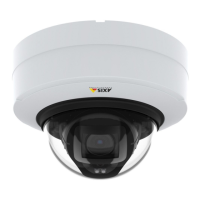
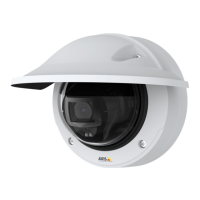
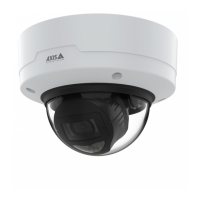
AXISP3245NetworkCameraSeries
Thewebinterface
Addarule:Createarule.
Name:Enteranamefortherule.
Waitbetweenactions:Entertheminimumtime(hh:mm:ss)thatmustpassbetweenruleactivations.Itisusefuliftheruleis
activatedby,forexample,day-nightmodeconditions,toavoidthatsmalllightchangesduringsunriseandsunsetactivate
therulerepeatedly.
Condition:Selectaconditionfromthelist.Aconditionmustbemetforthedevicetoperformanaction.Ifmultiple
conditionsaredened,allofthemmustbemettotriggertheaction.Forinformationaboutspecicconditions,see
Getstartedwithrulesforevents.
Usethisconditionasatrigger:Selecttomakethisrstconditionfunctiononlyasastartingtrigger.Itmeansthatoncetherule
isactivated,itremainsactiveforaslongasalltheotherconditionsaremet,nomatterthestateoftherstcondition.Ifyoudon’t
selectthisoption,therulewillsimplybeactivewheneveralltheconditionsaremet.
Invertthiscondition:Selectifyouwanttheconditiontobetheoppositeofyourselection.
Addacondition:Clicktoaddanadditionalcondition.
Action:Selectanactionfromthelistandenteritsrequiredinformation.Forinformationaboutspecicactions,see
Getstartedwithrulesforevents.
Recipients
Youcansetupyourdevicetonotifyrecipientsabouteventsorsendles.Thelistshowsalltherecipientscurrentlyconguredinthe
product,alongwithinformationabouttheirconguration.
Note
Youcancreateupto20recipients.
Addarecipient:Clicktoaddarecipient.
Name:Enteranamefortherecipient.
Type:Selectfromthelist:
•FTP
-Host:Entertheserver'sIPaddressorhostname.Ifyouenterahostname,makesurethataDNSserveris
speciedunderSystem>Network>IPv4andIPv6.
-Port:EntertheportnumberusedbytheFTPserver.Thedefaultis21.
-Folder:Enterthepathtothedirectorywhereyouwanttostoreles.Ifthisdirectorydoesn’talreadyexist
ontheFTPserver,youwillgetanerrormessagewhenuploadingles.
-Username:Entertheusernameforthelogin.
-Password:Enterthepasswordforthelogin.
-Usetemporarylename:Selecttouploadleswithtemporary,automaticallygeneratedlenames.The
lesgetrenamedtothedesirednameswhentheuploadcompletes.Iftheuploadisaborted/interrupted,
youdon’tgetanycorruptles.However,youprobablystillgetthetemporaryles.Thiswayyouknow
thatalllesthathavethedesirednamearecorrect.
-UsepassiveFTP:Undernormalcircumstances,theproductsimplyrequeststhetargetFTPservertoopenthe
dataconnection.ThedeviceactivelyinitiatesboththeFTPcontrolanddataconnectionstothetargetserver.
ThisisnormallyneededifthereisarewallbetweenthedeviceandthetargetFTPserver.
•HTTP
-URL:EnterthenetworkaddresstotheHTTPserverandthescriptthatwillhandletherequest.Forexample,
http://192.168.254.10/cgi-bin/notify.cgi.
-Username:Entertheusernameforthelogin.
-Password:Enterthepasswordforthelogin.
35



 To Next Page