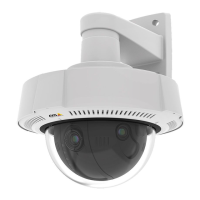
AXISQ37NetworkCameraSeries
Thewebinterface
-Usetransparency:SelectandentertheRGBhexadecimalvalueforthatcolor.UsetheformatRRGGBB.
Examplesofhexadecimalvalues:FFFFFFforwhite,000000forblack,FF0000forred,6633FFforblue,and
669900forgreen.Onlyfor.bmpimages.
•Sceneannotation
:Selecttoshowatextoverlayinthevideostreamthatstaysinthesameposition,even
whenthecamerapansortiltsinanotherdirection.Youcanchoosetoonlyshowtheoverlaywithincertainzoomlevels.
-
:Clicktoaddthedatemodier%Ftoshowyyyy-mm-dd.
-
:Clicktoaddthetimemodier%Xtoshowhh:mm:ss(24-hourclock).
-Modiers:Clicktoselectanyofthemodiersshowninthelisttoaddthemtothetextbox.Forexample,
%ashowsthedayoftheweek.
-Size:Selectthedesiredfontsize.
-Appearance:Selectthetextcolorandbackgroundcolor,forexample,whitetextonablackbackground
(default).
-
:Selectthepositionoftheoverlayintheimage.Theoverlayissavedandremainsinthepanand
tiltcoordinatesofthisposition.
-Annotationbetweenzoomlevels(%):Setthezoomlevelswhichtheoverlaywillbeshownwithin.
-Annotationsymbol:Selectasymbolthatappearsinsteadoftheoverlaywhenthecameraisnotwithinthe
setzoomlevels.
•Streamingindicator
:Selecttoshowananimationsuperimposedoverthevideostream.Theanimation
indicatesthatthevideostreamislive,evenifthescenedoesn’tcontainanymotion.
-Appearance:Selecttheanimationcolorandbackgroundcolor,forexample,redanimationonatransparent
background(default).
-Size:Selectthedesiredfontsize.
-
:Selectthepositionoftheoverlayintheimage.
•Widget:Linegraph
:Showagraphchartthatdisplayshowameasuredvaluechangesovertime.
-Title:Enteratitleforthewidget.
-Overlaymodier:Selectanoverlaymodierasdatasource.IfyouhavecreatedMQTToverlays,theywillbe
locatedattheendofthelist.
-
:Selectthepositionoftheoverlayintheimage.
-Size:Selectthesizeoftheoverlay.
-Visibleonallchannels:Turnofftoshowonlyonyourcurrentlyselectedchannel.Turnontoshowonall
activechannels.
-Updateinterval:Choosethetimebetweendataupdates.
-Transparency:Setthetransparencyoftheentireoverlay.
-Backgroundtransparency:Setthetransparencyonlyofthebackgroundoftheoverlay.
-Points:Turnontoaddapointtothegraphlinewhendataisupdated.
-Xaxis
-Label:Enterthetextlabelforthexaxis.
-Timewindow:Enterhowlongtimethedataisvisualized.
-Timeunit:Enteratimeunitforthexaxis.
-Yaxis
-Label:Enterthetextlabelfortheyaxis.
-Dynamicscale:Turnonforthescaletoautomaticallyadapttothedatavalues.Turnofftomanuallyenter
valuesforaxedscale.
-MinalarmthresholdandMaxalarmthreshold:Thesevalueswilladdhorizontalreferencelinestothegraph,
makingiteasiertoseewhenthedatavaluebecomestoohighortoolow.
•Widget:Meter
:Showabarchartthatdisplaysthemostrecentlymeasureddatavalue.
-Title:Enteratitleforthewidget.
-Overlaymodier:Selectanoverlaymodierasdatasource.IfyouhavecreatedMQTToverlays,theywillbe
locatedattheendofthelist.
-
:Selectthepositionoftheoverlayintheimage.
-Size:Selectthesizeoftheoverlay.
33


 To Next Page
 Loading...