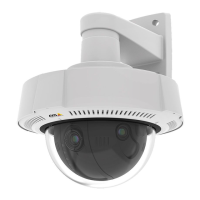
AXISQ3527-LVENetworkCamera
Thewebinterface
Note
ConnecttoanMQTTbrokerbeforeyouaddMQTToverlaymodiers.
Addoverlaymodier:Clicktoaddanewoverlaymodier.
Topiclter:AddtheMQTTtopicthatcontainsthedatayouwanttoshowintheoverlay.
Dataeld:Specifythekeyforthemessagepayloadthatyouwanttoshowintheoverlay,assumingthemessageisinJSONformat.
Modier:Usetheresultingmodierwhenyoucreatetheoverlay.
•Modiersthatstartwith#XMPshowallofthedatareceivedfromthetopic.
•Modiersthatstartwith#XMDshowthedataspeciedinthedataeld.
Storage
Networkstorage
Ignore:Turnontoignorenetworkstorage.
Addnetworkstorage:Clicktoaddanetworksharewhereyoucansaverecordings.
•Address:EntertheIPaddressorhostnameofthehostserver,typicallyaNAS(network-attachedstorage).We
recommendyoutocongurethehosttouseaxedIPaddress(notDHCPsinceadynamicIPaddresscanchange)or
thatyouuseDNS.WindowsSMB/CIFSnamesarenotsupported.
•Networkshare:Enterthenameofthesharedlocationonthehostserver.SeveralAxisdevicescanusethesame
networksharesinceeachdevicegetsitsownfolder.
•User:Iftheserverrequiresalogin,entertheusername.Tologintoaspecicdomainserver,type
DOMAIN\username.
•Password:Iftheserverrequiresalogin,enterthepassword.
•SMBversion:SelecttheSMBstorageprotocolversiontoconnecttotheNAS.IfyouselectAuto,thedevicetries
tonegotiateoneofthesecureversionsSMB:3.02,3.0,or2.1.Select1.0or2.0toconnecttoolderNASthatdon’t
supporthigherversions.YoucanreadmoreaboutSMBsupportinAxisdeviceshere.
•Addshareevenifconnectiontestfails:Selecttoaddthenetworkshareevenifanerrorisdiscoveredduringthe
connectiontest.Theerrorcanbe,forexample,thatyoudidn’tenterapasswordeventhoughtheserverrequiresone.
Removenetworkstorage:Clicktounmount,unbind,andremovetheconnectiontothenetworkshare.Thisremovesallsettings
forthenetworkshare.
Unbind:Clicktounbindanddisconnectthenetworkshare.
Bind:Clicktobindandconnectthenetworkshare.
Unmount:Clicktounmountthenetworkshare.
Mount:Clicktomountthenetworkshare.
Writeprotect:Turnontostopwritingtothenetworkshareandprotectrecordingsfrombeingremoved.Youcan’tformata
write-protectednetworkshare.
Retentiontime:Selecthowlongtokeeprecordings,tolimittheamountofoldrecordings,ortocomplywithregulationsregarding
datastorage.Ifthenetworkstoragebecomesfull,oldrecordingsareremovedbeforetheselectedtimeperiodpasses.
Tools
•Testconnection:Testtheconnectiontothenetworkshare.
•Format:Formatthenetworkshare,forexample,whenyouneedtoquicklyerasealldata.CIFSistheavailable
lesystemoption.
Usetool:Clicktoactivatetheselectedtool.
Onboardstorage
44



 To Next Page