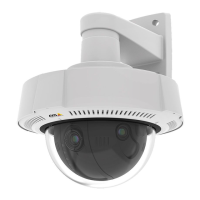
AXISQ3527-LVENetworkCamera
Thewebinterface
Reports
•Viewthedeviceserverreport:Viewinformationabouttheproductstatusinapop-upwindow.TheAccessLogis
automaticallyincludedintheServerReport.
•Downloadthedeviceserverreport:Itcreatesa.ziplethatcontainsacompleteserverreporttextleinUTF–8
format,aswellasasnapshotofthecurrentliveviewimage.Alwaysincludetheserverreport.ziplewhenyou
contactsupport.
•Downloadthecrashreport:Downloadanarchivewithdetailedinformationabouttheserver'sstatus.Thecrashreport
containsinformationthatisintheserverreportaswellasdetaileddebuginformation.Thisreportmightcontain
sensitiveinformationsuchasnetworktraces.Itcantakeseveralminutestogeneratethereport.
Logs
•Viewthesystemlog:Clicktoshowinformationaboutsystemeventssuchasdevicestartup,warnings,andcritical
messages.
•Viewtheaccesslog:Clicktoshowallfailedattemptstoaccessthedevice,forexample,whenawronglogin
passwordisused.
Networktrace
Important
Anetworktracelemightcontainsensitiveinformation,forexamplecerticatesorpasswords.
Anetworktracelecanhelpyoutroubleshootproblemsbyrecordingactivityonthenetwork.
Tracetime:Selectthedurationofthetraceinsecondsorminutes,andclickDownload.
Remotesystemlog
Syslogisastandardformessagelogging.Itallowsseparationofthesoftwarethatgeneratesmessages,thesystemthatstoresthem,
andthesoftwarethatreportsandanalyzesthem.Eachmessageislabeledwithafacilitycode,whichindicatesthesoftware
typegeneratingthemessage,andassignedaseveritylevel.
Server:Clicktoaddanewserver.
Host:EnterthehostnameorIPaddressoftheserver.
Format:Selectwhichsyslogmessageformattouse.
•Axis
•RFC3164
•RFC5424
Protocol:Selecttheprotocolandporttouse:
•UDP(Defaultportis514)
•TCP(Defaultportis601)
•TLS(Defaultportis6514)
Severity:Selectwhichmessagestosendwhentriggered.
CAcerticateset:Seethecurrentsettingsoraddacerticate.
Plaincong
PlaincongisforadvanceduserswithexperienceofAxisdeviceconguration.Mostparameterscanbesetandeditedfrom
thispage.
49



 To Next Page