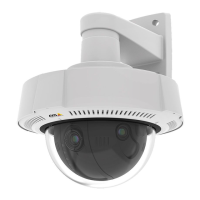
AXISQ37NetworkCameraSeries
Thewebinterface
DynamicGOP(GroupofPictures):TurnontodynamicallyadjusttheintervalbetweenI-framesbasedonthelevelofactivity
inthescene.
Upperlimit:EnteramaximumGOPlength,thatis,themaximumnumberofP-framesbetweentwoI-frames.AnI-frameisa
self-containedimageframethatisindependentofotherframes.
Bitratecontrol
•Average:Selecttoautomaticallyadjustthebitrateoveralongertimeperiodandprovidethebestpossibleimage
qualitybasedontheavailablestorage.
-
Clicktocalculatethetargetbitratebasedonavailablestorage,retentiontime,andbitratelimit.
-Targetbitrate:Enterdesiredtargetbitrate.
-Retentiontime:Enterthenumberofdaystokeeptherecordings.
-Storage:Showstheestimatedstoragethatcanbeusedforthestream.
-Maximumbitrate:Turnontosetabitratelimit.
-Bitratelimit:Enterabitratelimitthatishigherthanthetargetbitrate.
•Maximum:Selecttosetamaximuminstantbitrateofthestreambasedonyournetworkbandwidth.
-Maximum:Enterthemaximumbitrate.
•Variable:Selecttoallowthebitratetovarybasedonthelevelofactivityinthescene.Moreactivityrequiresmore
bandwidth.Werecommendthisoptionformostsituations.
Orientation
Mirror:Turnontomirrortheimage.
Audio
Include:Turnontouseaudiointhevideostream.
Source:Selectwhataudiosourcetouse.
Stereo
:Turnontoincludebuilt-inaudioaswellasaudiofromanexternalmicrophone.
Overlays
:Clicktoaddanoverlay.Selectthetypeofoverlayfromthedropdownlist:
•Text:Selecttoshowatextthatisintegratedintheliveviewimageandvisibleinallviews,recordingsandsnapshots.
Youcanenteryourowntext,andyoucanalsoincludepre-conguredmodierstoautomaticallyshow,forexample,
time,date,andframerate.
-
:Clicktoaddthedatemodier%Ftoshowyyyy-mm-dd.
-
:Clicktoaddthetimemodier%Xtoshowhh:mm:ss(24-hourclock).
-Modiers:Clicktoselectanyofthemodiersshowninthelisttoaddthemtothetextbox.Forexample,
%ashowsthedayoftheweek.
-Size:Selectthedesiredfontsize.
-Appearance:Selectthetextcolorandbackgroundcolor,forexample,whitetextonablackbackground
(default).
-
:Selectthepositionoftheoverlayintheimage.
•Image:Selecttoshowastaticimagesuperimposedoverthevideostream.Youcanuse.bmp,.png,.jpeg,or.svgles.
Touploadanimage,clickImages.Beforeyouuploadanimage,youcanchooseto:
-Scalewithresolution:Selecttoautomaticallyscaletheoverlayimagetotthevideoresolution.
32



 To Next Page