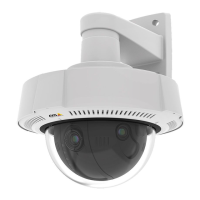
AXISQ37NetworkCameraSeries
Thewebinterface
Synchronization:Selectanoptionforthedevice’sdateandtimesynchronization.
•Automaticdateandtime(manualNTSKEservers):SynchronizewiththesecureNTPkeyestablishmentservers
connectedtotheDHCPserver.
-ManualNTSKEservers:EntertheIPaddressofoneortwoNTPservers.WhenyouusetwoNTPservers,
thedevicesynchronizesandadaptsitstimebasedoninputfromboth.
-MaxNTPpolltime:SelectthemaximumamountoftimethedeviceshouldwaitbeforeitpollstheNTP
servertogetanupdatedtime.
-MinNTPpolltime:SelecttheminimumamountoftimethedeviceshouldwaitbeforeitpollstheNTP
servertogetanupdatedtime.
•Automaticdateandtime(NTPserversusingDHCP):SynchronizewiththeNTPserversconnectedtotheDHCPserver.
-FallbackNTPservers:EntertheIPaddressofoneortwofallbackservers.
-MaxNTPpolltime:SelectthemaximumamountoftimethedeviceshouldwaitbeforeitpollstheNTP
servertogetanupdatedtime.
-MinNTPpolltime:SelecttheminimumamountoftimethedeviceshouldwaitbeforeitpollstheNTP
servertogetanupdatedtime.
•Automaticdateandtime(manualNTPservers):SynchronizewithNTPserversofyourchoice.
-ManualNTPservers:EntertheIPaddressofoneortwoNTPservers.WhenyouusetwoNTPservers,the
devicesynchronizesandadaptsitstimebasedoninputfromboth.
-MaxNTPpolltime:SelectthemaximumamountoftimethedeviceshouldwaitbeforeitpollstheNTP
servertogetanupdatedtime.
-MinNTPpolltime:SelecttheminimumamountoftimethedeviceshouldwaitbeforeitpollstheNTP
servertogetanupdatedtime.
•Customdateandtime:Manuallysetthedateandtime.ClickGetfromsystemtofetchthedateandtimesettings
oncefromyourcomputerormobiledevice.
Timezone:Selectwhichtimezonetouse.Timewillautomaticallyadjusttodaylightsavingtimeandstandardtime.
•DHCP:AdoptsthetimezoneoftheDHCPserver.ThedevicemustconnectedtoaDHCPserverbeforeyoucanselect
thisoption.
•Manual:Selectatimezonefromthedrop-downlist.
Note
Thesystemusesthedateandtimesettingsinallrecordings,logs,andsystemsettings.
Devicelocation
Enterwherethedeviceislocated.Yourvideomanagementsystemcanusethisinformationtoplacethedeviceonamap.
•Latitude:Positivevaluesarenorthoftheequator.
•Longitude:Positivevaluesareeastoftheprimemeridian.
•Heading:Enterthecompassdirectionthatthedeviceisfacing.0isduenorth.
•Label:Enteradescriptivenameforthedevice.
•Save:Clicktosaveyourdevicelocation.
Network
IPv4
AssignIPv4automatically:SelecttoletthenetworkrouterassignanIPaddresstothedeviceautomatically.Werecommend
automaticIP(DHCP)formostnetworks.
IPaddress:EnterauniqueIPaddressforthedevice.StaticIPaddressescanbeassignedatrandomwithinisolatednetworks,
providedthateachaddressisunique.Toavoidconicts,werecommendyoucontactyournetworkadministratorbeforeyou
assignastaticIPaddress.
Subnetmask:Enterthesubnetmasktodenewhataddressesareinsidethelocalareanetwork.Anyaddressoutsidethelocal
areanetworkgoesthroughtherouter.
Router:EntertheIPaddressofthedefaultrouter(gateway)usedtoconnectdevicesthatareattachedtodifferentnetworksand
networksegments.
38


 To Next Page
 Loading...