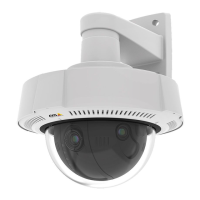
AXISQ37NetworkCameraSeries
Specifications
Buttons
Controlbutton
Thecontrolbuttonisusedfor:
•Resettingtheproducttofactorydefaultsettings.SeeResettofactorydefaultsettingsonpage18.
FunctionButton
Thefunctionbuttonhasmultiplefunctions:
•AslevelingAssistant–Thisfunctionhelpstoensuretheimageislevel.Pressthebuttonforabout2secondstostartthe
levelingassistantandpressagaintostop.ThestatusLED(see)andbuzzersignalassistlevelingoftheimage.Theimageis
levelwhenthebuzzerbeepscontinuously.
•ToviewtheStatusLED–PressthebuttononcetolightuptheStatusLEDs.Pressagaintoturnthemoff.TheLEDs
willturnoffautomaticallyafter10seconds.
Connectors
Networkconnector
RJ45EthernetconnectorwithPoweroverEthernet(PoE).
Audioconnector
•Audioin–3.5mminputforamonomicrophone,oraline-inmonosignal(leftchannelisusedfromastereosignal).
•Audioout–3.5mmoutputforaudio(linelevel)thatcanbeconnectedtoapublicaddress(PA)systemoranactive
speakerwithabuilt-inamplier.Astereoconnectormustbeusedforaudioout.
Audioinput
1Tip2Ring
3Sleeve
Unbalancedmicrophone(withorwithoutelectret
power)orline-in
Electretpowerifselected
Ground
Audiooutput
1Tip2Ring
3Sleeve
Channel1,unbalancedline,monoChannel1,unbalancedline,monoGround
Theexternalmicrophoneisusedwhenconnected.
I/Oconnector
UsetheI/Oconnectorwithexternaldevicesincombinationwith,forexample,motiondetection,eventtriggering,andalarm
notications.Inadditiontothe0VDCreferencepointandpower(12VDCoutput),theI/Oconnectorprovidestheinterfaceto:
Digitalinput-Forconnectingdevicesthatcantogglebetweenanopenandclosedcircuit,forexamplePIRsensors,door/window
contacts,andglassbreakdetectors.
64



 To Next Page