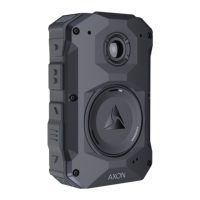
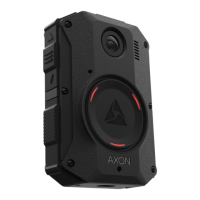
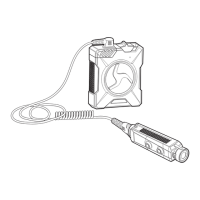
Axon Body 3 Camera Display and Notications in the Field
The Axon Body 3 camera display, on top of the camera, shows information on camera status and activity. The camera also emits sounds called
audio prompts to notify you of the device status or when you take an action. The audio prompts can be accompanied by a haptic notication
(vibration) that matches the audio.
Operating Mode or Action
Camera Display
(Activity Area)
Operation LED Audio Notication
Haptic Notication
(Vibration)
Power on
then
READY
Solid red Two short rising-pitch tones One - long duration
Power o Solid red
Three short lowering-pitch
tones
One - long duration
Recording started by Event button double-
press
then
Blinking red Two short tones Two - short duration
Recording started by Axon Signal Blinking red Two short tones Two - short duration
Recording started by gunshot detection Blinking red Two short tones Two - short duration
Recording reminder Blinking red
Two short tones every 2
minutes
Two - short duration every 2
minutes
Stop recording, return to Ready
then
Blinking green One long tone One - long duration
Volume up or down Blinking green or red
One short tone at new volume
level
One - short duration
Axon Respond Livestreaming Blinking purple Three short rising-pitch tones One - long duration
Enter or Exit Mute mode (microphone o) Blinking blue in Mute mode One short tone Two - long duration
Enter Stealth mode
O None None
Exit Stealth mode
No change
Blinking green or red None Two - short duration
Event marker captured Blinking red None One - short duration
Sleep mode Enter = o, Exit = blinking One short tone One - long duration
Low battery notications: 20% battery capacity
and every 5% decrease OR any error
BATTERY LOW
Blinking yellow Four quick high-pitch tones Four - short duration
Camera enters Pairing mode
Blinking blue Three short rising-pitch tones None
Play Store is a trademark of Google, Inc.;App Store is a trademark of Apple, Inc.
, AXON, Axon, Axon Body 3, Axon Dock, Axon View, and Axon Evidence are trademarks of Axon Enterprise, Inc., some of which are registered in the US and other countries. For more
information, visit www.axon.com/legal. All rights reserved. © 2020 Axon Enterprise, Inc. MPC0288 Rev: C
Axon Body 3 Camera Display and Triad LED Status Information in the Dock
When you plug an Axon Body 3 camera into an Axon Body 3 Dock, the Triad LED on the front of the camera shows the device status and battery
capacity. The Axon Body 3 camera display, on top of the camera, shows information on camera status and activity.
Device Status Camera Display Triad LED
Activity Area Status Bar
Uploading data
Spinning yellow (cycling on each Triad LED)
Downloading data or applying device settings
Spinning yellow (cycling on each Triad LED)
Applying rmware update
UPDATING
Spinning white (cycling on each Triad LED)
Possible network error. Check network connection and refer
to Troubleshooting section of the Axon Body 3 User Manual
or go to help.axon.com.
NETWORK ERROR
Blinking red and green
Device error. Refer to device page in Axon Evidence.
Blinking red
Assigned user ID - shown when no other activity, other than
charging, and for 10 secods after removing from dock
USERID123
Battery capacity
Battery capacity. The charge indicator ( ) is shown to the
right of battery capacity during charge
Solid green (> 98%)
Any of the above
Solid yellow (33% to 97%)
Solid red (< 33%)


 To Previous Page
 Loading...