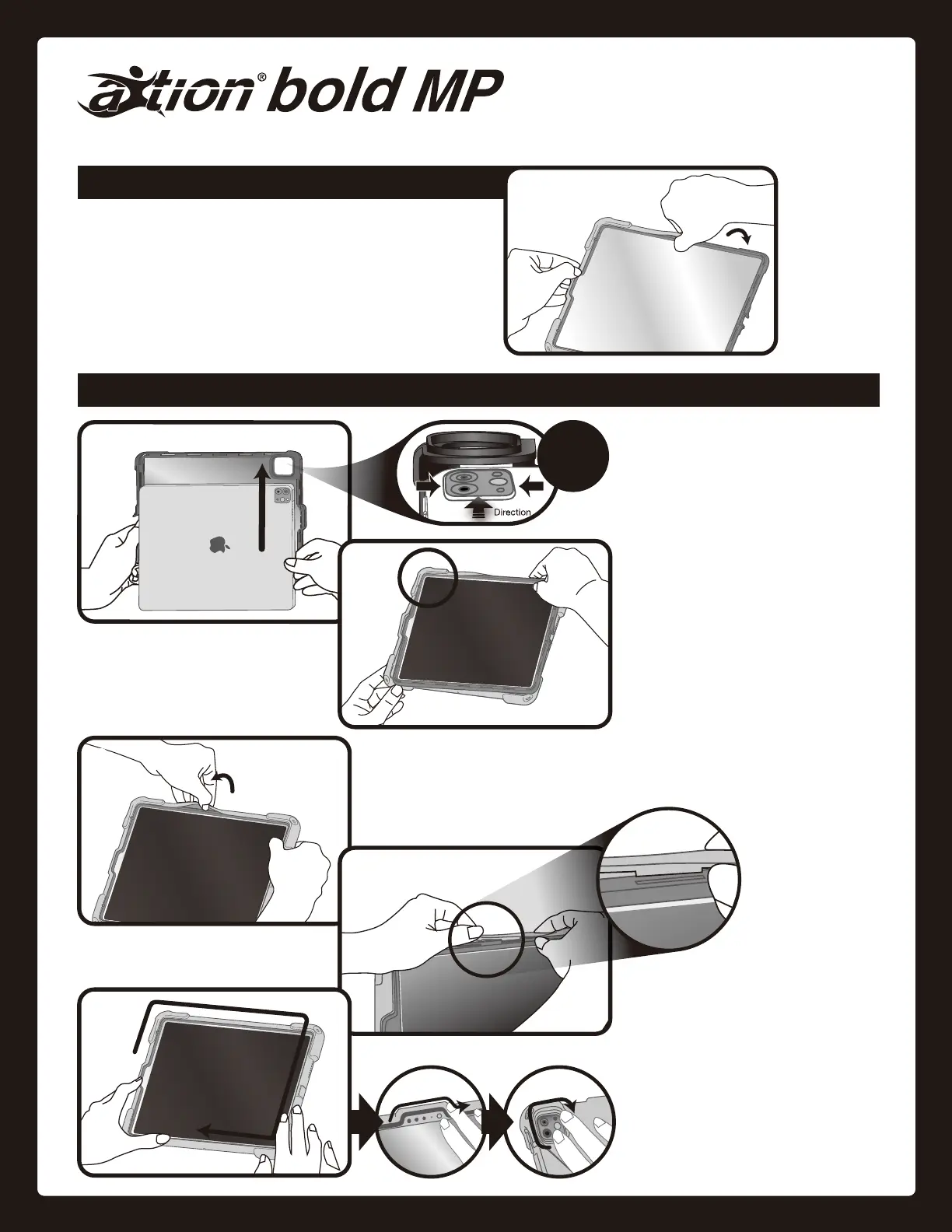
Insert the corner of the hard frame
nearest the camera into the silicone
cover.
Insérez le cadre rigide dans la couver-
ture en silicone en commençant par le
coin près de l'appareil photo.
はじめに、カメラに近い角をシリコンカバー
に入れます。
Installation Guide Guide d'installation ご 利 用 ガ イド
Remove silicone cover from the hard frame starting at one corner.
Retirez la couverture en silicone en commençant par un coin.
いずれかの角からカバーを外します。(ケーブルカバー部分を開けてか
らカバーを外すと取り外しや すくなります)
Removal / Retrait /
取り外し
Installation / Installation /
取り付け
Insert the rest of the hard frame into the silicone cover.
Insérez le reste du cadre rigide dans la couverture en silicone.
残りの部分を順にカバーに入れていきます。
Insert each
silicone tab tightly
into its
corresponding slot
in the hard frame to
ensure the case is
water-resistant.
Insérez chaque languette en silicone
solidement dans la fente correspondan-
te sur le cadre en plastique rigide pour
garantir l’étanchéité de l’étui.
耐水性を確実に発揮するために、シリコンカ
バーの突起をしっかりとプラスチックフレー
ムにはめ込んでください。
for/pour
iPad Pro
9.7
''
Insert iPad into hard frame.
Insérez l'iPad dans le cadre rigide.
プラスチックフレームにiPadを入れます。
Caution:
Raised
Camera



 To Next Page