EN-25
(5) When the cooking time is set to 0 minutes, if the reservation function
setting is performed at this time, after setting the reservation time, touch
the button “ ”, the oven will not make a reservation, and the system
will automatically return to the standby state.
When the cooking time or cooking temperature setting are finished,
press“ ” button to start the oven and corresponding icon stop flashing.
After the oven starts working, the cooking time begin to countdown by
second.
Cooking note: When cavity temperature is close to set temperature,
oven will prompt for 2 seconds. If cooking time countdown to 0, oven
will stop cooking (exhaust fan will continue to work), and the system
return to standby status automatically. Buzzer will continuously prompt
for 5 minutes(1s/time), exhaust fan will stop working after cavity
temperature is below 100℃.
Temperature display range: not lower than 30℃, display Lo℃when
lower than 30℃.
4. Reservation function
After setting cooking time and temperature and before touching “ ”
to start-up, touch “ ” to enter to cooking end time(reservation function)
setting (default end time=system time +set cooking time), cooking end
time icon “ ” will flash(1s/ time) , the reservation function icon “ ” is
always on and the hour value of the clock position flashes at this time,
rotating programming switch KB2 to set the hour. After the hour time
setting is completed, touch “ ” again to enter the minute time setting.
At this time, the minute value of clock position flashes, and the minute
time can be set by rotating programming switch KB2.(You can use the
“ ” to switch hour and minute settings circularly. )After cooking end
time setting completed, touch “ ” to start, oven will enter reservation
status.
The longest reservation time is 24 hours.
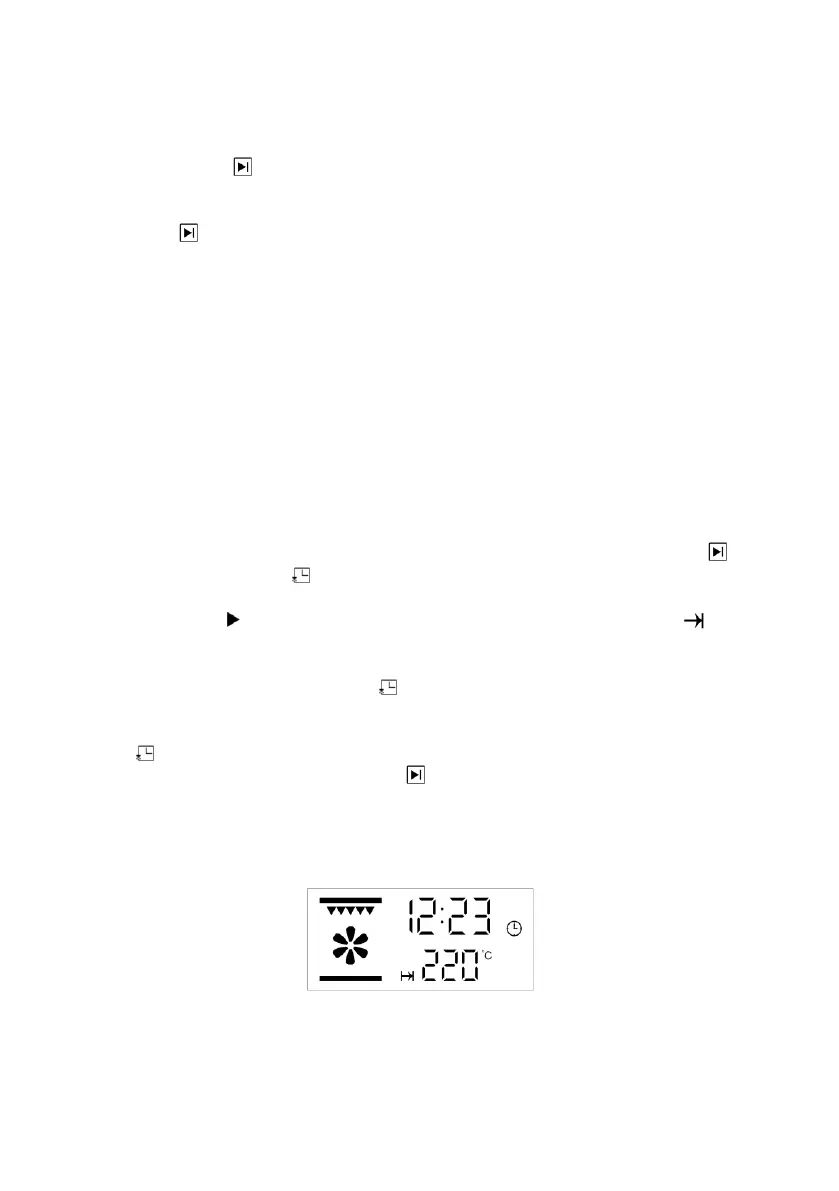
Under reservation status the display screen will display as picture 7. All
elements and motors will not work at this time.
Pic 7: Reservation status display effect


 To Next Page
 Loading...