5
Ayon Audio – Hart 18 – 8101 Gratkorn – Austria – Phone: +43 3124 24954
www.ayonaudio.com
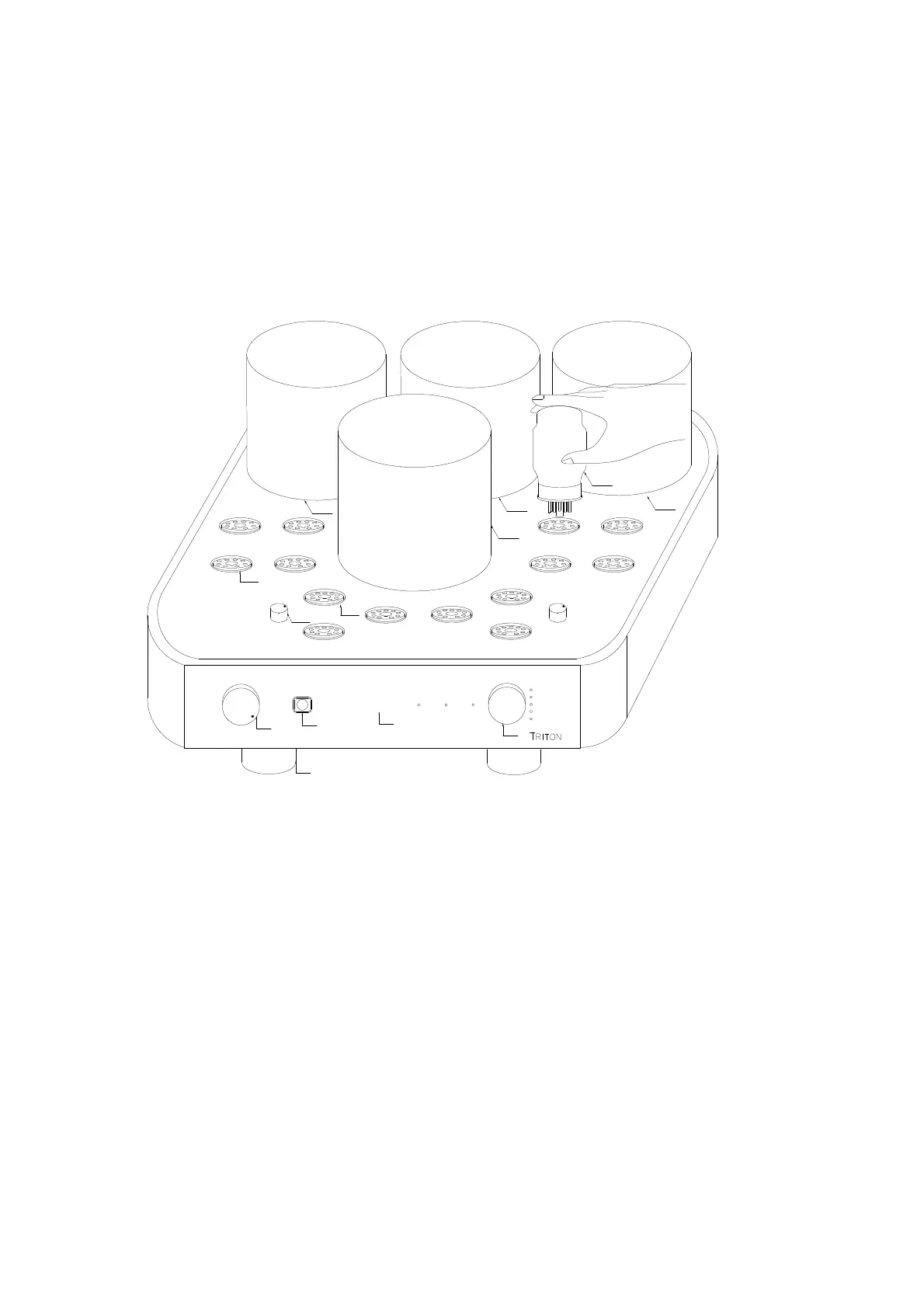
OPEN CARTON - UNPACKING THE TRITON
Inspect your amplifier for any shipping damage and call your dealer immediately if any is
found. Note: Do not plug your amplifier into an AC outlet if you find shipping damage.
To avoid damaging the vacuum tubes please don’t turn the cardboard box upside down.
Open the box and carefully take out the vacuum tubes and then the amplifier.
The amplifier is very heavy!
We advise saving all packing materials so that the unit can be easily and safely shipped if the
need arises.
ayon
Input Selector
Volume
Stereo Integrated Amplifier
1
2
3
4
12
13
11
10
5
8
V1
KT88
V2
KT88
7
V4
KT88
V3
KT88
V5
KT88
V6
KT88
V8
KT88
V7
KT88
KT88
12AU7
12AU7
12AU7
12AU7
12AU7
12AU7
9
T P
Left
Right
PT
6
Triode L
Line 1
Line 2
Line 3
Line 4
Direct
MuteTriode R
front view
(1) volume control knob
(2) remote window eye
(3) red backlit ayon logo
(-) mute LED indicator
(4) source selector knob with LED indicator
(5) feet
(-) left & right triode LED indicator
(6) T/P changeover switch
(7) vacuum tube socket – 12AU7
(8) vacuum tube socket – KT88
(9) vacuum power tube – KT88
(10)output transformer – left
(11)power transformer – high voltage
(12)power transformer – filament, low voltage
(13)output transformer – right


 To Next Page
 Loading...