 Need help?
Do you have a question about the Aztech HL110EW and is the answer not in the manual?
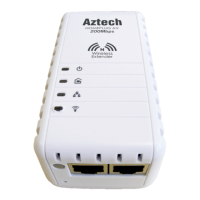
Details the function of LEDs, Ethernet ports, and the Simple Connect button for device operation.
Plug the additional HL110EW to a power outlet near your existing HomePlug network.
Press the Simple Connect button for 2 seconds on the first HL110E to start pairing.
Press the Simple Connect button for 2 seconds on the additional HL110EW.
Ensure LEDs indicate successful pairing and network connection for the new device.
Guides users through connecting to the device, accessing settings, and configuring wireless options.

 To Next Page
 General