Need help?
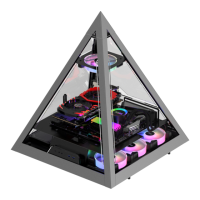
Do you have a question about the AZZA Regis and is the answer not in the manual?
Instructions on how to easily disassemble the side panels of the chassis.
Guidance on installing the motherboard into the computer case.
Details on the two primary locations for graphics card installation.
Explains an alternative method for graphics card installation to improve heat dissipation.
Specifies support for 240 mm and 280 mm radiators on both sides of the case.
Procedure for installing the power supply unit.
Guide for installing Hard Disk Drives and Solid State Drives, noting their removable nature.
Connecting SATA power and 5V ARGB cables from the front panel to the power supply and AZZA Hub.
Details on the AZZA Hub's ports, connectors, and its functions for managing lighting effects.
 General
| Type | ATX Mid Tower |
|---|---|
| Color | Black |
| With Power Supply | No |
| Motherboard Compatibility | ATX, Micro-ATX, Mini-ITX |
| Side Panel Window | Yes |
| Internal 3.5" Drive Bays | 2 |
| Internal 2.5" Drive Bays | 2 |
| 5.25" Drive Bays | 0 |
| Expansion Slots | 7 |
| Fan Options Rear | 1 x 120mm |
| Radiator Options Rear | 120mm |
| Max PSU Length | 200mm |
| Fan Options Front | 2 x 120mm |
| Fan Options Top | 2 x 120mm |


 To Next Page