
 Need help?
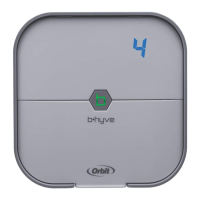
Do you have a question about the B-hyve 57915 and is the answer not in the manual?
Install the B-hyve app on your smart device to connect the controller to Wi-Fi.
Choose a location near power and away from direct sunlight with good Wi-Fi signal.
Install a screw and anchor, hang the controller using the keyhole slot, and secure it with a second screw.
Strip 13mm (1/2in) of insulation from each wire before connecting.
Attach one wire from each valve to a Common (COM) wire and others to numbered terminals.
Plug in the controller; it will automatically look to pair with your smart device via Bluetooth.
Open the B-hyve app, create an account, and follow the step-by-step process to add your device.
Select your Wi-Fi network and enter the password to connect the controller to your home Wi-Fi signal.
Use the app for Wi-Fi connections, programming, smart watering, and other general questions.
Perform basic operations directly at the controller, while full functionality is in the B-hyve app.
 General
| Brand | B-hyve |
|---|---|
| Model | 57915 |
| Category | Controller |
| Language | English |

 To Next Page