2
1. INTRODUCTION
Dear consumer!
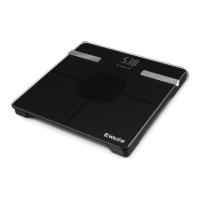
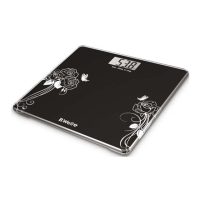
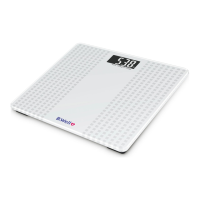
We congratulate you with a B.Well Bluetooth Diagnostic
Scale buying! Thank you for choosing our product!
Product was developed, verifi ed and supervised by B.Well Swiss
AG, Switzerland. Applied Swiss control system assures high
quality, endurance and safety of all B.Well products.
This new electronic personal scale allows you to evaluate your
body weight. Capacity 180 kilos, divided into 100 grams. Please
read through these instructions carefully so that you understand
all functions and safety information. We want you to be happy
with your B.Well product. The B.Well company is guaranteeing
that this scale is made of high quality materials and meets current
national and international safety standards.
2. OPERATING INSTRUCTION
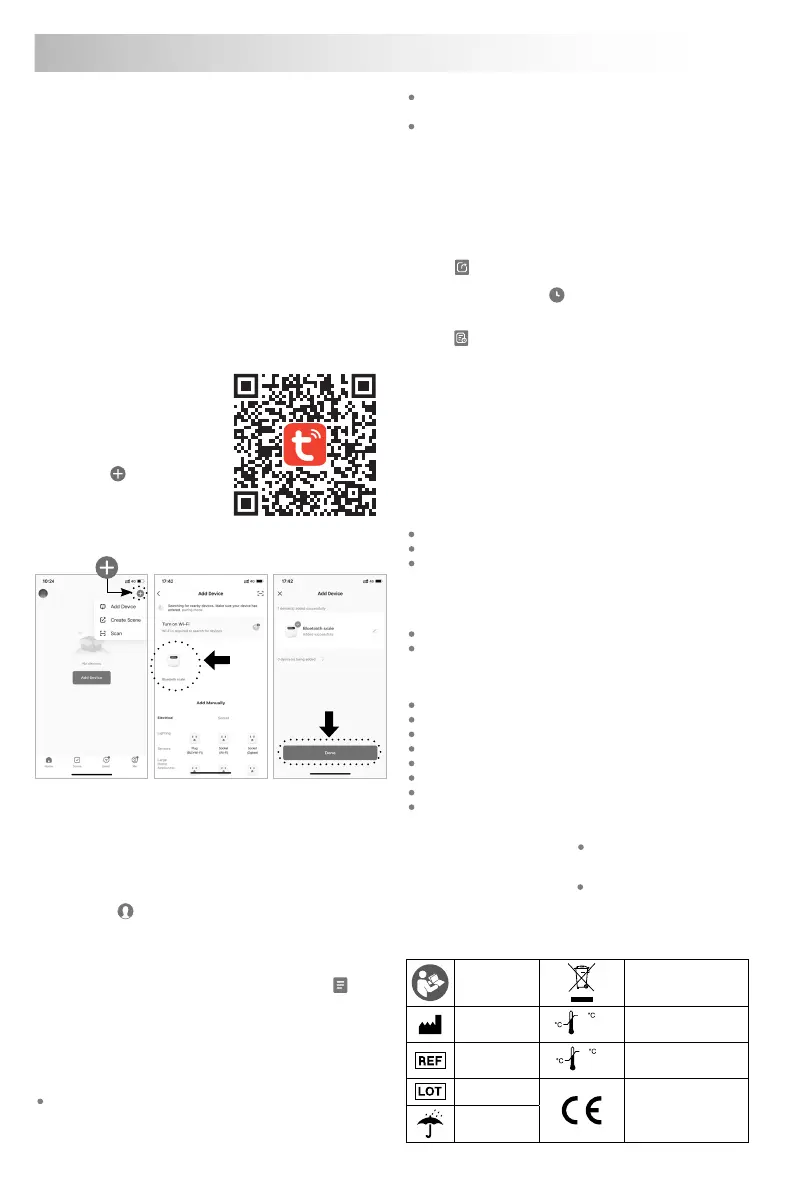
APP download steps
Please scan the QR-code and
download the TUYA APP.
The following are steps
for device management
(user management is similar).
1. Open the APP and sign in.
2. Click the “
” in the upper
right corner to add device
(as shown in Figure 1).
3. Tap on the scale and turn it
on, the APP will automatically
search for nearby devices (as shown in Figure 2).
Figure 3
Figure 1 Figure 2
4. When the APP offers you a Bluetooth scale, simply click on it
and your scale will begin to be added.
Then the screen will display “Bluetooth scale added
successfully“ (as shown in Figure 3).
5. Click “Done”.
User information
1. Please click in the bottom right corner. Then click “User
Management” and “+” to add the user information (as shown in
Figure 4, 5 and 6).
2. When you have entered the required information, click “OK”
(as shown in Figure 7).
3. You will now see that a user icon has appeared in the
section. If there are multiple users, you can click on the icon to
switch users (as shown in Figure 8).
4. When use this product for first time, please download APP and
enter your personal data (gender / height / age), for more users
need to add users (fill in relevant personal data), please do edit
your user name so that can choose your own name for next time
using, there is totally 10 users at most for APP management.
Step barefoot on scale evenly to get accurate result. Please
keep your feet clean and dry, also well contact with the
electrode plate. Scale display shows your weight, please
check other data (body fat, water, etc) on APP.
If the scale would not be used in a long period, please take the
battery out, and make sure there is noting on the scale.
Never throw away the scale or batteries to the rubbish.
Dispose them according to the local garbage regulations.
3. WEIGHING AND DATA
1. After adding device and setting data, step barefoot on scale
evenly to get accurate result, scale will show your weight, all
test result will be transmitted to the APP;
2. You can check and manage your weight, body fat, body water,
muscle, body mass index and other data by APP;
3. Click
to check the latest measurement report (as shown in
Figure 2.1.).
4. Click the button record
to check the average data based
on the history of the measurement (day/week/month)
(as shown in Figure 8 and 9).
5. Click
in the top right corner to view your historical weighing
record at a specific time (as shown in Figure 10 and 11).
Device care
You can clean the scale with a damp cloth and a little washing up
liquid, if required.
Never immerse the scale in water or rinse it under running water.
Disposal
Batteries and electronic devices must be disposed of in accordance
with the locally applicable regulations, not with domestic waste.
4. TECHNICAL SPECIFICATIONS
Max capacity: 180 kg / 396 lb / 28.8 st
Division: 100 g / 0.2 lb
Accuracy:
±0.3 kg for measurement range 3 kg to 50 kg
±0.5 kg for measurement range 51 kg to 100 kg
±0.7 kg for measurement range 101 kg to 150 kg
±0.9 kg for measurement range 151 kg to 180 kg
LCD display: 73 × 34 mm
Diagnostic: Weight, Fat Mass, Body fat index, Obesity level,
Ideal weight, Weight Control, Visceral fat index,
Weight without fat, Muscle rate, Body water, Bone mass,
Protein rate, BMR, Metabolic age, Body type, Score
6 mm tempered safety glass platform
Equipped with high strain gauge sensors
Auto on function
Weighing unit switch between kg / lb (on APP)
Unit of weight on LCD display
Automatic zero and switch off
Low battery and overload indication
3 × AAA batteries (included)
Оperation environment:
Temperature: +10˚С ~ +40˚С Humidity: <80%
Storage and transportation environment:
Temperature: -20˚С ~ +50˚С Humidity: <90%
Technical alterations reserved.
5. SYMBOL INFORMATION
Follow
instructions
before use
Disposal for separate
collection
Manufacturer’s
Name
10
40
OPERATING
CONDITION
Operating condition,
temperature 10˚C ~ 40˚C
Article number
STORAGE
CONDITION
-20
50
Storage condition,
teperature -20˚C ~ 50˚C
Lot number
CE mark
Keep dry
EN Instructions for use


 To Next Page
 Loading...